Anthropic Frontend-Design Plugin Revamps Claude UI

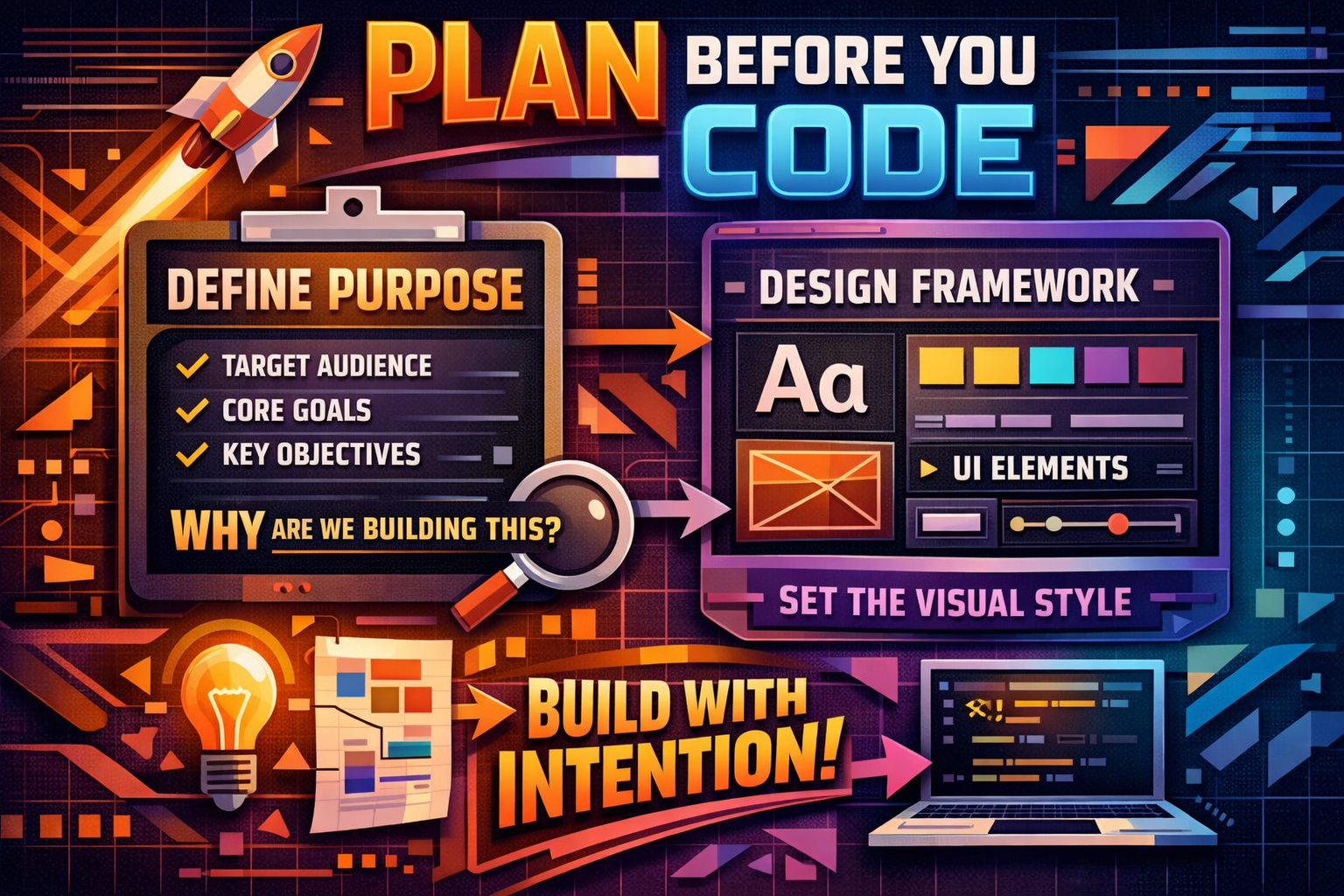
Developers frustrated by the generic look of AI-generated user interfaces now have multiple strategies to customize Claude Design outputs and escape the default aesthetic of rounded corners, purple gradients, and Inter fonts. MindStudio has published guidance on implementing custom design systems through CSS variables and DESIGN.md files, while Anthropic’s official frontend-design plugin enables Claude to create polished code with bold aesthetic choices by establishing a design framework before coding, identifying purpose, audience, and a specific aesthetic direction such as brutalist, maximalist, or retro-futuristic.
AI-generated landing pages almost always conform to Inter fonts and purple gradients on white backgrounds because safe design choices that work universally dominate web training data. This distributional convergence occurs during sampling when models predict tokens based on statistical patterns in training data, causing Claude to sample from this high-probability center without direction.
Anthropic’s Official Solution: The Frontend-Design Plugin
The official frontend-design plugin generates distinctive, production-grade frontend interfaces that avoid generic AI aesthetics, with Claude automatically using this skill for frontend work. The plugin has achieved 277,000+ installs four months after launch, demonstrating significant developer adoption.
Skills are context-aware prompts that Claude loads on-demand, activating automatically when Claude recognizes a matching situation unlike slash commands which require explicit invocation, and they don’t bloat your context window because they only load when relevant. The frontend-design skill contains roughly 400 tokens of guidance that pushes Claude to commit to a cohesive aesthetic before writing code, including distinctive typography over safe defaults, dominant colors with sharp accents over timid palettes, atmospheric depth over flat backgrounds, and asymmetric composition over predictable grids.
The plugin intentionally avoids common patterns like generic system fonts and predictable purple gradients, focusing on thoughtful typography with unexpected font pairings, orchestrated motion and scroll-triggered interactions, spatial composition with asymmetry and grid-breaking elements, and visual depth through gradients, textures, and layered effects.
Custom Design Systems with CSS Variables
For developers seeking brand-specific outputs rather than general aesthetic improvements, implementing custom design systems provides more control. MindStudio explains how to implement a custom design system using CSS variables and DESIGN.md files to align outputs with specific branding.
The approach involves creating configuration files that define brand colors, typography, spacing, and component styles. When Claude generates code, it references these predefined variables instead of defaulting to generic choices. This method proves particularly valuable for teams maintaining consistent visual identity across multiple AI-generated interfaces.
Platform-Specific Considerations
Thomas Wiegold’s analysis notes that Anthropic’s frontend-design plugin, a simple 4.5KB markdown file, improves UI aesthetics by handling typography, colors, and layout. However, the plugin pairs well with theming strategies for platforms like WordPress and Shopify but requires separate handling for platform-specific integrations.
This limitation means developers working within content management systems or e-commerce platforms need to combine the frontend-design plugin with additional configuration to ensure outputs respect platform constraints and API requirements.
Designer Perspectives and Practical Limitations
Professional designers testing Claude Design have identified both strengths and weaknesses in real-world applications. A designer’s hands-on test covers key features, strengths in UI generation, and limitations, evaluating its practical value for token-based workflows.
AI-generated UI often looks generic and repetitive, with the same fonts, safe color choices, shallow hierarchy, and components that feel more like placeholders than real product UI. While the frontend-design plugin addresses initial generation quality, the workflow struggles once moving past initial generation, as updating existing components often leads to full regeneration rather than incremental changes, and multi-state designs require extra coordination, with everything happening through the command line creating a bottleneck for design tweaks and experimentation.
Broader Ecosystem Development
Anthropic launched Claude Marketplace in March 2026 with GitLab, Replit, Harvey, and Snowflake as partners, with enterprise customers building hundreds of internal plugins and community directories cataloguing thousands of third-party skills. The plugin system isn’t just fixing AI slop but is becoming the distribution layer for how AI coding tools get specialized.
Developers are now spinning up multiple Claude Code instances in the cloud, each configured with different plugin combinations for specialized tasks, such as one for frontend work with Figma and Frontend Design, another for backend migrations, maybe a third dedicated to web research, or a fourth just for security auditing and code reviews.
Installation and Usage
Users can run `claude plugins add frontend-design@claude-code-plugins` in Claude Code to generate production-grade React, Vue, and Svelte UIs with setup in under a minute. The skill activates automatically when users ask Claude to build frontend interfaces, with suggested prompts like “Create a dashboard for a music streaming app”, “Build a landing page for an AI security startup”, or “Design a settings panel with dark mode support”.
For frontend development, Claude can generate distinctive interfaces without per-request prompt engineering, and users can explore Anthropic’s frontend design cookbook or try out the new frontend design plugin in Claude Code.
Key Facts
- The frontend-design plugin has reached 277,000+ installs
- Anthropic launched Claude Marketplace in March 2026 with major enterprise partners
- The frontend-design skill contains roughly 400 tokens of guidance
- The plugin is a simple 4.5KB markdown file that improves UI aesthetics
- AI-generated pages almost always default to Inter fonts and purple gradients without guidance
Sources
- MindStudio: Claude Design – How to Build Branded Interfaces Without Generic AI Aesthetics
- Thomas Wiegold: How to Use the Claude Code Frontend-Design Plugin
- Design with AI: Claude Design – A Designer’s Walkthrough and Honest Take
- Creative Bloq: Designing using Claude Code and Figma MCP
Sources
- Install Frontend Design Plugin for Claude Code – frontend-design@claude-plugins-official (2026) | Claude Directory
- Frontend Design – Claude Plugin | Anthropic
- Improving frontend design through Skills | Claude
- claude-code/plugins/frontend-design at main · anthropics/claude-code
- Claude Code Plugins: Breaking the AI Slop Aesthetic
- Top 10 Claude Code Plugins to Try in 2026