What is BeLive.tv and How Smart Businesses Use It
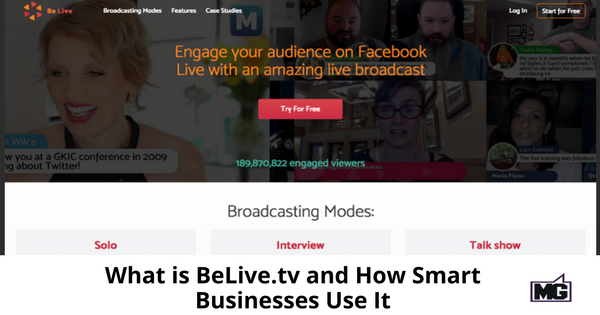
Are you using Facebook Live to market your business? Have you wished it had more features and capabilities? Well, now it does! Introducing BeLive.tv for Facebook Live.
So what is BeLive.tv? This very user-friendly web software allows you to engage your Facebook audience with several live video formats.
Q and A format or Solo
This format allows you to interact with your audience with questions you answer in real time. Questions from your audience are typed into a “chat” area and appear on the screen. Through BeLive.tv, you can immediately answer your audience’s questions. It’s a great opportunity and app to convert viewers into customers as trust is built in real time.
Face to face interview
Face to face interviews are a snap with this app. You can conduct the interviews in different styles. Your guest doesn’t need to download and install software. Just click a link invite from the host and BeLive opens in the browser. Viewers can join on their mobile phone or computer.
Talk show
Use a single camera or share a split screen with your guest! Your guests and fans can join in the “lobby” in 2 clicks. One interaction accommodates up to three people on the screen and ten guests.
Why would you use BeLive for your business? It gives you many capabilities that the regular Facebook Live doesn’t have.
Scheduling
Unlike other apps, BeLive.tv allows you to schedule and set up your broadcast beforehand. If you have a Facebook group, a pop-up with a description, image (if assigned), and scheduled start time will show in your group. All group members will see it in their newsfeed. They just need to click on the button to see when the broadcast will go live.
Easy to set-up and user-friendly
Who wants to rack their brain over every simple detail? With BeLive.tv you don’t have to. It’s super easy to set up. After signing up, you’ll receive a message through Facebook Messenger. The options are dependent on the type of broadcast you want to use. You also get 3 tutorial videos that are simple to follow.
BeLive.tv is easy to use. You don’t need any special training to use this app.
Screen comments
This feature allows you to speak directly to your audience when you go live. You’ll see their comments on your screen.
Share photos
You can share photos from your Facebook page with your viewers through BeLive.tv. Photo sharing in any presentation can be crucial especially if your images are a screen show. Pictures speak a thousand words.
Agenda
Organize your broadcast into easily digested segments with an on-screen agenda.
Screen updates
Just like news or professional presentation, BeLive.tv allows you to add text to your broadcast to introduce a guest or an idea.
Screen share
You can seamlessly share your screen with your audience with BeLive. Screen share is perfect for tutorials or conducting classes.
Change the viewing mode
If you need to focus on a person during your broadcast, you can do that with BeLive.
BeLive.tv gives you sophisticated ways to interact with an audience. It goes beyond Facebook Live and gives users additional features and capabilities that make marketing your business with live video seamless and straightforward.

Please enable pop-ups to receive the download.