Best Email Marketing Tools for Small Business
Compare the best email marketing software for small businesses by budget, automation needs, and business type, then choose with a practical trial checklist.
 11 min read
The best email marketing software for a small business is the one your team can use to collect permission-based signups, send useful campaigns, and follow up without rebuilding every message by hand. For a lean team, start with MailerLite; for an online store, compare Klaviyo and Omnisend; for a creator, consider Kit. If sales follow-up and complex journeys matter more than a quick newsletter, put Brevo and ActiveCampaign on the shortlist.
A local service business sending a monthly update has different needs from a shop recovering abandoned carts. Use those starting points to narrow your shortlist, then try the tasks you expect to do each week.
Start with the job your emails need to do
Before you compare email marketing platforms, write down the emails you need first. Most teams can begin with a welcome message after signup and a regular update or offer. Add a follow-up triggered by an action when you have a clear reason to send it. Save elaborate journeys for later. If your list is still small, pair your first emails with inbound lead generation that actually converts so new signups keep arriving.
Your business model helps narrow the field:
Your business | Begin with | Why it belongs on the shortlist | Where to look harder |
|---|---|---|---|
Lean team or first newsletter | MailerLite, Mailchimp | A campaign-first workflow keeps the initial setup manageable | Whether the automation you need is available on your chosen plan |
Local service business | Brevo, Mailchimp | You need signups, appointment or inquiry follow-up, and readable campaigns | Contact management and how inquiries move into follow-up |
Ecommerce store | Omnisend, Klaviyo | Store behavior should inform your messages | Integration with your actual store and the cost at your contact volume |
Creator selling content or products | Kit, MailerLite | Subscriber relationships and content delivery are central | Form, tagging, and sales workflow fit |
Team with multi-step journeys | ActiveCampaign, Brevo | You may need more than a welcome series | Time to build, maintain, and troubleshoot workflows |
Best email marketing software: compare platforms at a glance
Vendors may charge by contacts, email volume, feature tier, or a combination. Your bill can change when your list or sending frequency grows. Compare the same contact count, monthly send volume, and required automation for every tool.
Platform | Most natural fit | Approach to examine | Tradeoff to accept |
|---|---|---|---|
MailerLite | Small teams getting a newsletter and basic journeys running | Editor, signup form, and welcome sequence | Make sure its available workflow options match your next use case |
Mailchimp | General-purpose campaigns for businesses that want a familiar starting point | Campaign builder and automation flow | Do not assume a feature is in the plan you expect to buy |
Brevo | Service businesses balancing marketing with sales follow-up | Contact organization and send-volume needs | Its wider scope may be unnecessary if you only send a newsletter |
Omnisend | Stores focused on lifecycle email | Store integration and purchase-based messaging | Less compelling if you have no product catalog |
Klaviyo | Stores that want to use customer and purchase data deeply | Data connection and audience segmentation | More setup to justify if you only send occasional promotions |
Kit | Creators growing a subscriber audience | Forms, subscriber organization, and content workflow | Store-specific lifecycle requirements may call for another tool |
ActiveCampaign | Businesses ready to build detailed automation | Workflow branching and upkeep | The learning curve can outweigh the benefit for simple campaigns |
The table shows where to begin. Your workflow and subscription tier determine which features you can use and what you will pay.
What to look for in an email marketing tool
Focus on features that remove a recurring task or make your emails more relevant. A long sales demo will not tell you whether your team can finish its first campaign.
List building and campaign creation
If you are still building a list, start with forms and landing pages. Try the form on a phone and read the signup promise as a new customer would. See whether a subscriber lands in the right audience. A drag-and-drop editor and reusable email templates can speed up email campaigns, provided the finished message reads well on mobile.
A service business might collect an inquiry type on its form. A shop might collect product interest. Do not ask for data you will never use. Every extra field is another obstacle between an interested visitor and a subscriber.
Email marketing automation and segmentation
Email marketing automation software should send messages after actions that matter to your business. A welcome sequence starts when someone joins your list; a post-purchase sequence starts after an order. You can branch the sequence when a customer has already booked or bought, instead of sending the same follow-up to everyone.
Distinguish a one-time email campaign from an automated sequence in your cost comparison. A basic flow might need one trigger, a delay, and an exit rule; advanced automation may need branching, tags, and several data connections. Mailchimp’s documentation for send-email actions describes how a message sends when a contact reaches that step. Use that same concrete test in whichever tool you select.
Reporting and channel fit
Open rates alone cannot tell you whether your emails generated business. Decide which action matters: a reply, an appointment, a purchase, or a repeat order. Then see whether your chosen tool and website can connect that outcome to the campaign.
Some email marketing services also offer SMS or other channels. Compare email and SMS together if you intend to use both and have consent for each. Extra channels add little value if you will never use them.
Which tool fits your day-to-day work?
MailerLite or Mailchimp for a lean team
If one person writes the emails, updates the website, and answers customers, setup time matters. Build a signup form, draft a welcome message, and schedule one campaign before trying sophisticated segmentation. MailerLite is a sensible first look for a straightforward campaign workflow. Mailchimp is another general-purpose option if your team wants to keep campaigns and a basic automation flow together.
With Mailchimp, an automation flow uses a trigger, rules, and actions such as sending an email or waiting before the next step. Its automation flow instructions make a useful example of what to look for in any platform: can you see exactly what causes a message to send, and can you stop the next message when it no longer applies?
Brevo for service inquiries; ActiveCampaign for deeper journeys
A plumber, consultant, or studio needs to reply to inquiries and stay in touch after the job. Brevo belongs on the shortlist when marketing campaigns and sales follow-up need to sit close together. Start with an inquiry form, a helpful reply, and a later check-in. If you cannot explain who receives each message, simplify the workflow. Keep the process proportionate to the business, as with any automation tool added to an online platform.
ActiveCampaign makes more sense when different actions should send contacts down different paths. That flexibility creates maintenance work. Give one person ownership of entry rules, suppression rules, and the messages customers can receive twice.
Omnisend or Klaviyo for an online store
For ecommerce, the tool needs to use your shop’s data in the messages you plan to send. Try a welcome message for new subscribers and a post-purchase follow-up. Test whether both messages receive the product, order, and customer data they need. Omnisend is a good first comparison for store-focused campaigns; Klaviyo deserves a closer look if detailed customer segmentation is central to your plan.
Do not pay for an elaborate flow library before confirming that your storefront connection supplies the right data. A beautifully designed cart message cannot help if it fires for the wrong customers.
Kit for a creator’s subscriber relationship
Creators often have a different rhythm: a free resource leads to a newsletter, which may lead to a course or product. Kit is worth considering when forms, audience organization, and ongoing content are the core of the business. Compare it with MailerLite by building the same signup-to-welcome path in both, then decide which one you would be comfortable updating every week.
Understand the cost before the list grows
The cheapest starting tier is not automatically the cheapest operating choice. Put your next realistic list size and sending frequency into each vendor’s plan calculator, then compare these four items:
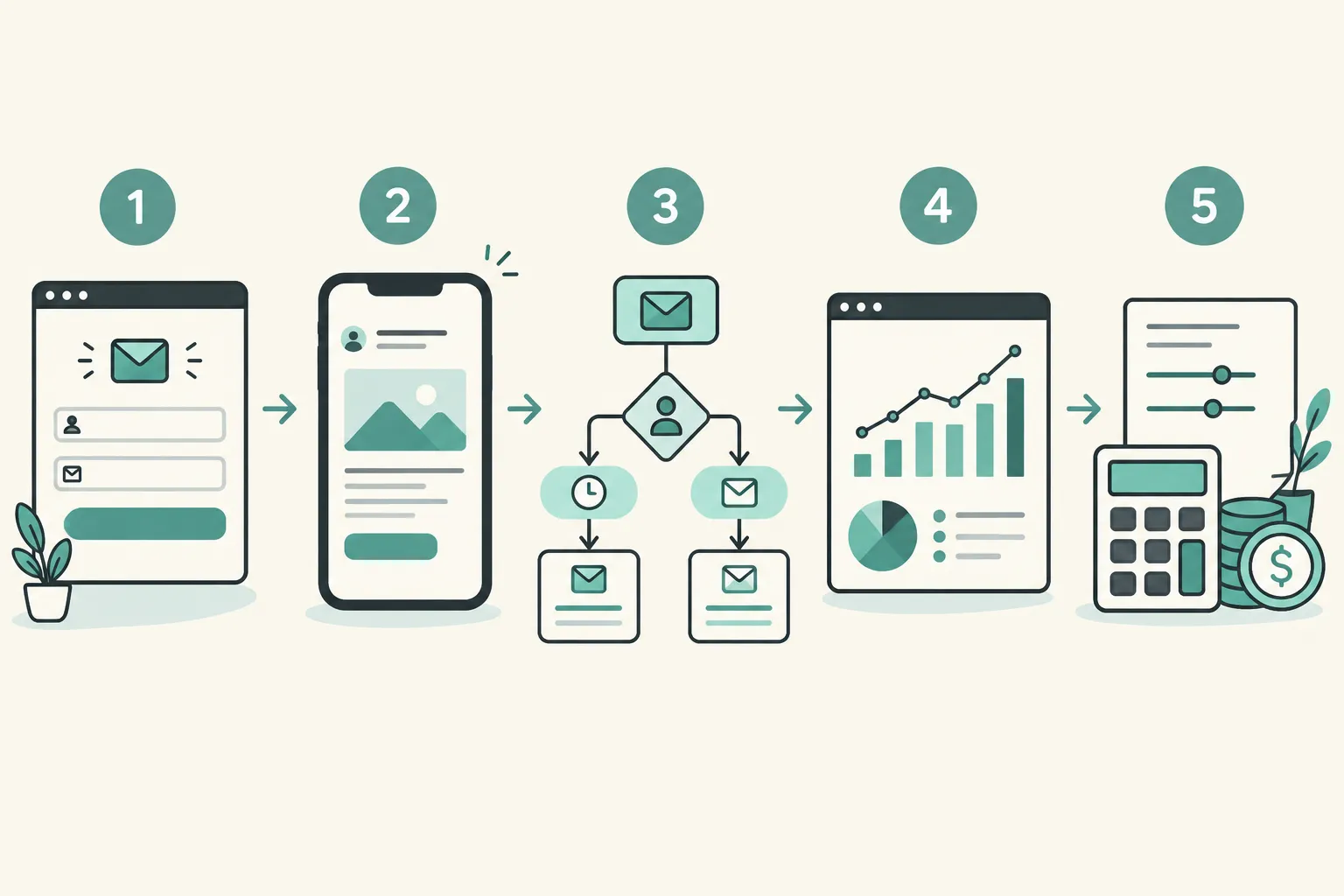
Billable audience: Are you paying for contacts, subscribed contacts, or something else? What happens to unsubscribed or duplicate records?
Send allowance: Can you send a campaign and the necessary follow-ups at your planned frequency?
Automation access: Are the triggers and steps you need included in the tier you can afford?
Workload: Will your team have time to maintain the forms, segments, templates, and connections?
For example, a monthly newsletter with one welcome email has a different cost profile from several messages per week plus purchase-based flows. Write down both scenarios. A low-cost plan that blocks your one essential follow-up is not a bargain.
Free plans versus paid plans
A free plan is useful for learning the editor and sending a first campaign. It does not tell you what the paid plan will cost after you grow or which automation features will be available then. A useful comparison has two rows: what it costs to do today’s work and what it costs to do the work you expect next. Include send limits and any restrictions on forms, landing pages, segments, or automated sequences.
Beware the apparent bargain of unlimited emails if the contact allowance or required features move you to a different tier. Conversely, a send-based price may be attractive for a larger list that receives only occasional messages. Neither model is inherently cheaper. Write down your numbers and compare the total for your own pattern.
Email can be valuable, but returns are not automatic. Litmus surveyed nearly 500 marketing professionals worldwide in 2025:
“35% reported returns of $10–$36 for every $1 spent on email.” – Litmus
That is a survey result across respondents, not a forecast for your business. Use revenue from campaigns and repeat purchases, alongside replies and qualified inquiries, to judge your own results.
Run a small trial before you commit
Pick two tools, not seven, and run the same task in each. This makes the differences visible without turning a software purchase into a month-long project.
Build the signup path: Add a form to a test page, subscribe with your own address, and inspect the confirmation and welcome experience.
Send one campaign: Draft a useful message, preview it on a phone, send a test, and find the report you will actually use.
Create one automated follow-up: Set a trigger and delay, then test entry and exit conditions. Make sure a customer cannot receive an irrelevant message after buying or booking.
Inspect your data: Find out how you will import consent records, identify unsubscribes, and export your list if you leave.
Calculate the next bill: Use the same future audience and send schedule for both options, with the features you just tried.
If the first three steps require specialist help, a more powerful platform may cost your team too much time. If both tools feel easy, choose the one that handles your next planned use case better.
Your first month: a workable email marketing plan
The easiest way to get started is to ship one useful email sequence before adding more tools. Begin with a form that says what subscribers will receive. Draft a welcome email that delivers that promise, and send yourself the full signup experience. Next, create one campaign aimed at a clear customer need rather than a general announcement.
Once those messages are live, write down one outcome for each: did the welcome email lead to replies, did the campaign produce inquiries, or did customers return to buy? Use that evidence to decide which second segment or automation is worth building. If a pre-built template saves time, use it, but rewrite the offer and timing so it reflects what your customers actually do.
If you are switching platforms, export your permission records and unsubscribe data, then import a small test group before moving the full list. Recreate the critical welcome sequence and pause the old one before turning on the new flow. The goal is a clean handoff: no missed subscribers and no duplicate welcome messages.
Make the choice
For most small businesses starting from scratch, choose the simplest tool that completes your signup, campaign, and welcome workflow. MailerLite and Mailchimp are good initial comparisons for general campaigns, Brevo for service-led follow-up, Omnisend and Klaviyo for ecommerce, Kit for creator audiences, and ActiveCampaign when automation complexity earns its keep.
Software is only part of the work. Your offer, signup promise, and follow-up message determine whether anyone wants to read the next email. MikeGingerich.com offers practical business and marketing guidance across those connected decisions, including why digital marketing campaigns underperform. Use it when you need to improve the campaign as well as choose the platform.
FAQ
Is there a better option than Mailchimp?
There can be for your business. Try MailerLite if a simple newsletter workflow is the priority, Brevo for service-led follow-up, or Omnisend and Klaviyo if your store data needs to drive campaigns. Build the same signup and follow-up in each before you decide.
Which tool is best for email marketing?
It depends on what your emails need to do. For general small-business campaigns, begin with MailerLite or Mailchimp; for ecommerce, compare Omnisend and Klaviyo; for detailed automation, consider ActiveCampaign. The best choice completes your real workflow at a cost and effort your team can sustain.