Marketing Automation for Small Business: First Steps
Choose marketing automation software when your small business needs it. See three starter workflows, consent checks, costs, and metrics to track.
 10 min read
Marketing automation software can help when your team repeats the same marketing follow-up often enough to miss one. If you receive only a few inquiries a month, use a shared inbox and a calendar reminder. Write down one recurring interaction, the permission you have to contact that person, and the response you want. Then decide whether software would save enough work to justify its cost.
For a small business, the first useful job is modest: send a relevant response on time, then stop when the person replies or opts out. You still need an offer people want and a message they understand.
What marketing automation does (and does not do)
A marketing workflow follows a rule: when an eligible person does something, send or schedule a relevant marketing response, unless an exit condition applies. A visitor might request a buying guide, receive it, and later get one related follow-up if they agreed to ongoing marketing email. Asking for the guide is separate from agreeing to future promotions.
It helps to keep three kinds of automation separate:
|
Type |
Typical job |
What to decide first |
|---|---|---|
|
Marketing automation |
Send a welcome message, nurture an opted-in lead, or invite an eligible customer back |
Who may receive the message and what action ends the sequence |
|
CRM or sales automation |
Assign a lead to an owner, create a sales task, or update an opportunity |
Who is responsible for responding personally |
|
General business automation |
Move information between systems, issue an invoice, or notify a team |
Whether the data transfer is reliable and necessary |
These jobs can share a system. A marketing automation CRM may hold customer records and send campaigns. The database still needs a way to distinguish people eligible for a campaign from those who are not. A sales-task reminder serves the salesperson, not the marketing campaign.
Email rules depend on where and to whom you send. The US CAN-SPAM Act does not generally require advance consent for commercial email, while UK rules for marketing to individual subscribers generally require consent unless an exception applies. Both markets impose requirements beyond the simple act of collecting an address. Design for permission and prompt opt-outs, and apply the rules for your recipients.
“You must honor a recipient’s opt-out request within 10 business days.” – Federal Trade Commission
Do you need software yet?
Look for a repeated delay or dropped handoff. Keep the process manual while each inquiry needs judgment or you are still working out what to say.
|
Situation |
Sensible first move |
Sign that automation may help |
|---|---|---|
|
A handful of bespoke inquiries each month |
Use a named owner and a reminder |
The same first response is being written repeatedly or inquiries wait unanswered |
|
Regular downloads or event registrations |
Map the response and record the relevant consent |
Sending the promised resource or an agreed follow-up is becoming inconsistent |
|
Repeat customers with a clear next step |
Ask a person to send a tailored check-in |
A predictable, permission-based reminder suits many customers |
|
Contacts scattered across forms, email, and spreadsheets |
Fix ownership and data capture first |
Clean records and a repeatable workflow now exist |
For one week, record the event, the person responsible, the time to first response, and the result. Use those notes as a baseline. If your form brings in irrelevant leads, an automated follow-up will send them more irrelevant messages.
Three starter workflows
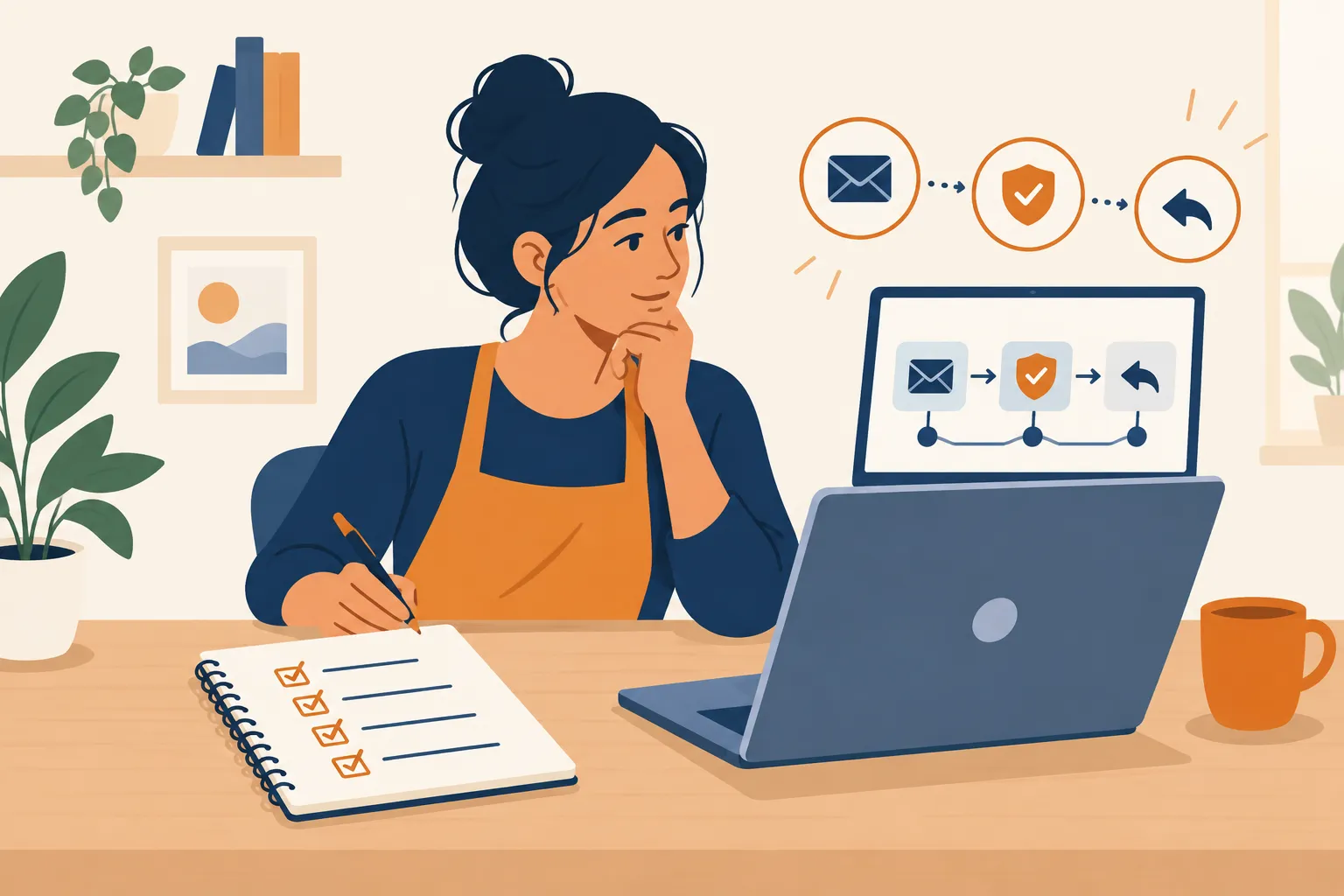
For each example, define the entry event, who qualifies, the message, the exit, and the outcome to measure. You should be able to explain the first version without a flowchart.
1. Form submission to useful follow-up
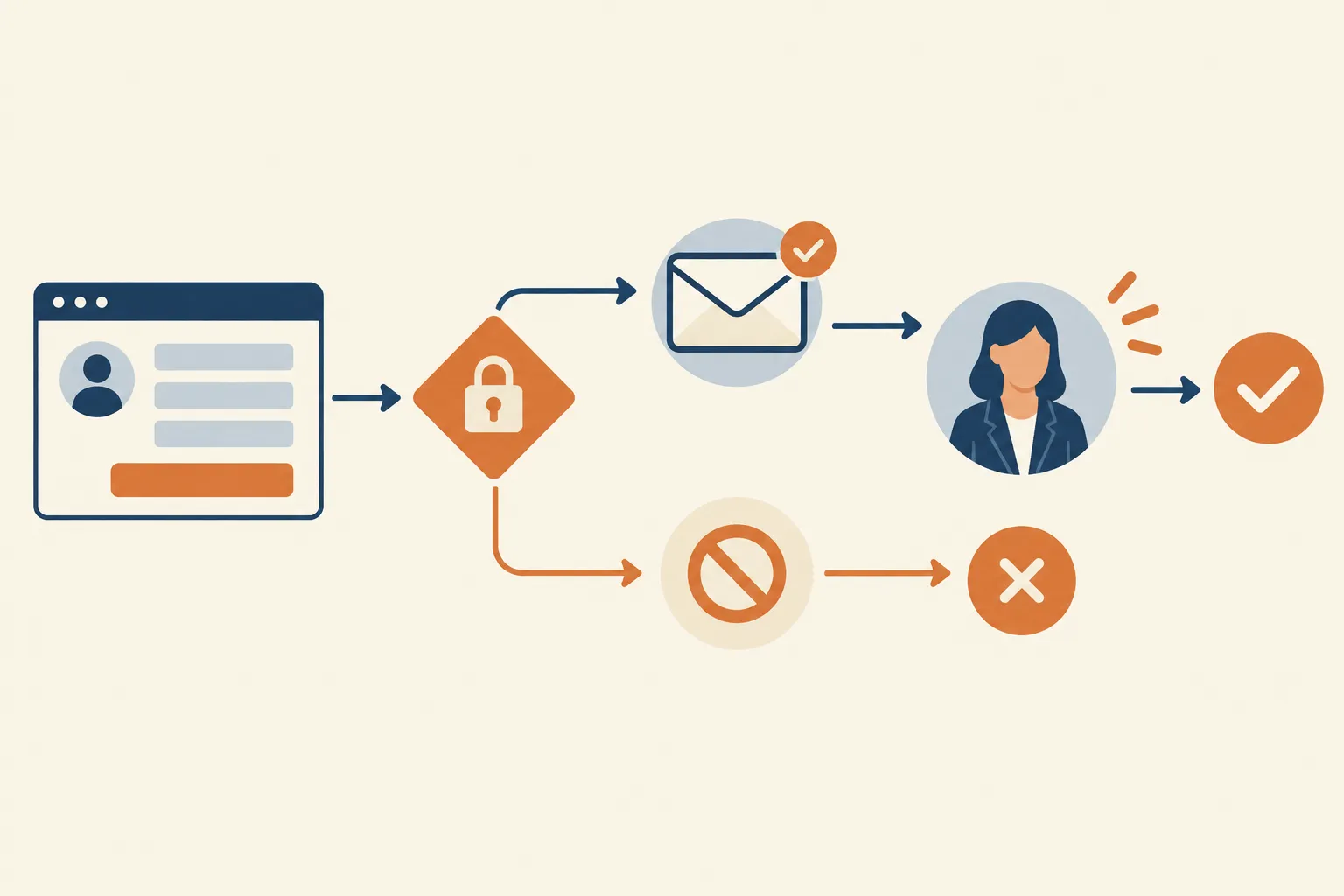
Trigger: Someone requests a checklist, consultation, or product information through your form. Send what they requested or acknowledge the inquiry. If they also opted in to marketing, a later educational email can address the question they raised.
Exit: Stop the marketing follow-up when the person replies, books a call, becomes a customer, or unsubscribes. Route a consultation inquiry to a person instead of leaving it in a nurture sequence.
Measure: Count eligible form submissions, delivered responses, replies or booked conversations, and unsubscribes. Sending more messages is useful only if the response reaches the right people and moves the inquiry forward.
The form gives you a clear starting event. If every inquiry requires a custom estimate, automate only the acknowledgement and assign the estimate to a person.
2. New-customer onboarding
Trigger: A customer starts a service or completes a purchase. Send practical next steps or instructions for accessing what they bought. Treat offers and newsletters separately: a purchase does not give you blanket permission for those messages.
Exit: End the onboarding sequence when the customer completes the intended step, or when support takes over an issue that needs individual attention. Avoid sending a promotional prompt while an unresolved problem is open.
Measure: Track completion of the intended onboarding step and the number of support questions that still need a human answer. If each client gets a different implementation plan, a personal welcome may be more useful than a sequence.
3. Relevant re-engagement
Trigger: An opted-in contact has not interacted with your marketing for a period you define. Send one message that offers a relevant reason to stay subscribed, rather than a string of “we miss you” emails.
Exit: Remove the person from the sequence if they unsubscribe, respond, or are no longer eligible. Do not treat lack of engagement as permission to increase frequency.
Measure: Look at meaningful responses and unsubscribes alongside opens. Skip this workflow for a brand-new list or a business whose customers buy infrequently. Wait for a relevant reason to reach out, or send a personal note.
How to choose marketing automation software without overbuying
Write the workflow first. Then compare marketing automation platforms against the work they must actually perform:
-
Entry and exits: Can it start from your real form or customer event, and stop on a reply, purchase, booking, or unsubscribe as needed?
-
Permission and records: Can you store the source and scope of consent, segment eligible contacts, and suppress people who should not receive a campaign?
-
Human handoff: Can a reply or high-value inquiry reach a named person without duplicate automated messages?
-
Reporting: Can you see the outcome you chose, such as bookings or onboarding completion, rather than only sends and opens?
-
Ownership: Can you understand who maintains the form connection, copy, contact data, and error alerts?
For your first lead-generation workflow, you may need only a form or landing page, a contact record, an automation builder, and email templates. See which automation features a free plan includes, if the tool offers one, and which require an upgrade. Prioritize lead management when someone needs to take over the conversation. Lead nurturing is useful when contacts would benefit from a sequence of relevant messages.
Email and SMS introduce different permission and opt-out considerations. If your customer journey crosses channels, map the customer data moving between systems, who can edit it, and how you will prevent two messages about the same action. An email-only workflow is enough when that is where your eligible audience is; add another channel when you have a specific gap in customer engagement to address.
The subscription is one part of the cost. Allow time for setup, contact-data cleanup, form or CRM connections, writing, testing, and maintenance. Your bill may also change with contact volume, email volume, users, or added capabilities. Compare that full cost with the time saved and the results of your single workflow. If your existing email service can run the sequence, start there. For a closer look at email-platform features, see email marketing tools for small businesses.
If you need a customer database and a way to assign follow-ups, make the CRM decision separately. The CRM software for small business guide addresses that choice. An all-in-one marketing automation CRM can reduce handoffs; separate systems can work if they exchange records reliably. Decide where your authoritative contact record lives. MikeGingerich.com’s practical business and marketing guides can help with the broader choice while you keep this first workflow manageable.
Reporting and analytics: know when the workflow worked
Choose the outcome for each sequence before opening the dashboard. For the form example, count eligible signups, successful deliveries, replies or bookings, and opt-outs over the same period. If people receive the first response but no one books, look at the offer and the handoff before adding emails. Unsubscribes after the second message may point to poor timing or relevance.
|
Workflow |
Outcome to watch |
Diagnostic measure |
Reason to pause |
|---|---|---|---|
|
Form follow-up |
Qualified replies or bookings |
Eligible signups that receive the promised response |
People receive marketing without the right permission |
|
Onboarding |
Completion of the next step |
Replies asking for missing instructions |
Support issues are being ignored by the sequence |
|
Re-engagement |
Useful responses from eligible contacts |
Unsubscribes after the message |
The audience or reason to contact them is no longer sound |
To make a data driven decision, compare bookings or useful replies with your manual baseline. A send can count even when the contact was a poor fit; an open does not tell you whether anyone bought. Read the replies as well as the totals when you have only a few contacts, since one response can change the percentage sharply. Then weigh the time saved against the subscription and upkeep.
A practical rollout
-
Choose one event and one outcome. A visitor requests a guide, receives it, and can book a conversation if they want one.
-
Document the contact rules. Record the request, marketing permission, data source, and conditions that stop messaging. Keep necessary service information separate from promotions.
-
Write the human version first. Draft an acknowledgement and follow-up you would be comfortable sending yourself. Make the sender and next step clear.
-
Test the paths. Create sample contacts that are eligible, not opted in, already customers, and unsubscribed. Make sure each receives the right message or none, and that a reply reaches a person.
-
Review the result and maintain it. Compare the outcome with your manual baseline. Check failures and replies, update stale links or offers, and pause the workflow if its assumptions change.
If a workflow cannot reliably identify who should receive a message, do not turn it on. Fix the contact record or leave the task with a person until the rule is clear.
The bottom line
Buy marketing automation software once you have a repeatable task, a clear basis for contacting people, and an outcome you can measure. Start with a form follow-up or onboarding flow; leave nuanced sales and service conversations with a person. Use MikeGingerich.com’s practical marketing, technology, and operations guidance to plan your next step before paying for more features.
FAQ
What are some popular marketing automation tools?
Commonly considered options include HubSpot, Brevo, and Omnisend. Rather than choosing by name alone, match a tool to your form trigger, permission records, exit rules, and the outcome you need to measure.
What are examples of automation software?
Email marketing platforms can send a welcome sequence after an eligible signup; CRM software can assign a new inquiry to a sales owner; integration tools can move form data between systems. These automate different tasks, so define the job before selecting a product.
What are the best marketing tools for a small business?
The best fit is the smallest toolset that reliably handles your actual workflow and keeps consent and contact records clear. For a few bespoke leads, a shared inbox and reminders may beat a paid automation platform; for frequent opt-in signups, an email tool with triggers and exclusions may be worth using.