Figma: 72% of Designers Use Generative AI in 2026
 5 min read
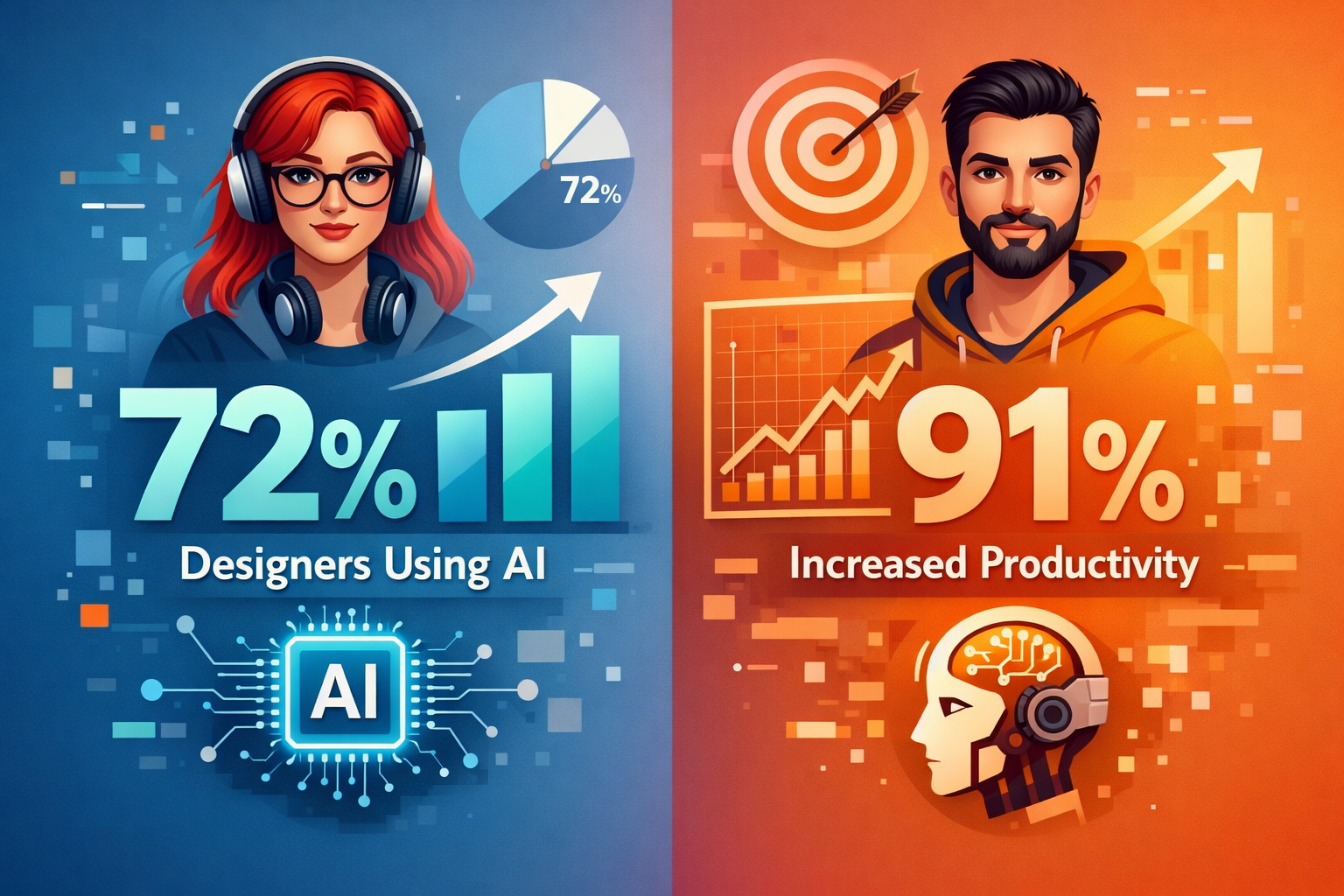
Figma has released a comprehensive resource detailing how AI is reshaping the creative process for design teams in 2026, as the company’s own research shows that 72% of designers now use generative AI in their day-to-day work, and 91% say it’s actually improving the quality and the speed of what they ship. The resource, published on Figma’s website in early August 2026, outlines a four-phase AI-assisted workflow that emphasizes curation and refinement over traditional blank-canvas ideation.
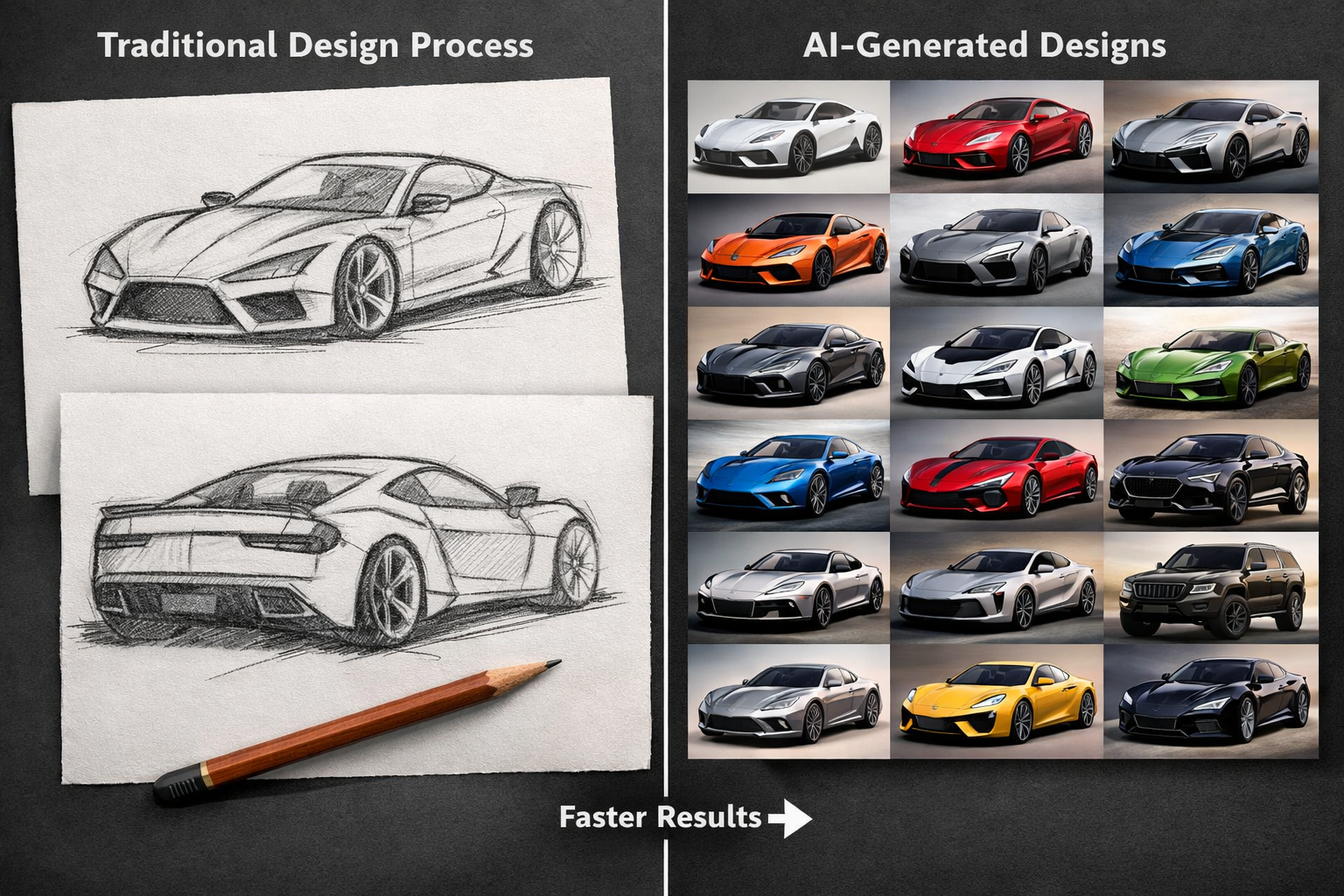
The shift reflects a fundamental change in how design teams operate. When AI can produce 20 directions in the time it used to take to sketch two, the skill that separates good teams from great ones is taste, and knowing which direction solves the actual user problem, fits the brand, and holds up under scrutiny takes product intuition that no model can fully replace.
From Blank Canvas to Decision Fatigue
According to Figma’s analysis, the primary challenge facing designers has evolved. Blank-page paralysis used to be the enemy, but now it’s decision fatigue, with too many plausible options and not enough shared criteria to pick one. This shift underscores how AI tools have moved creative energy downstream in the design process.
The conversation around AI and creativity is about creative energy moving downstream, from producing options to refining and choosing them. Rather than spending hours on initial sketches and layouts, designers using AI-powered tools like Figma’s First Draft and Make features can generate multiple directions quickly, then focus their expertise on selecting and refining the best options.
The Four-Phase AI-Assisted Workflow
Figma’s resource outlines an AI-assisted creative process that plays out across four phases: exploring options, narrowing them down, aligning the team, and validating the direction you land on, following the same rhythm that shows up across the broader product development process teams already follow.
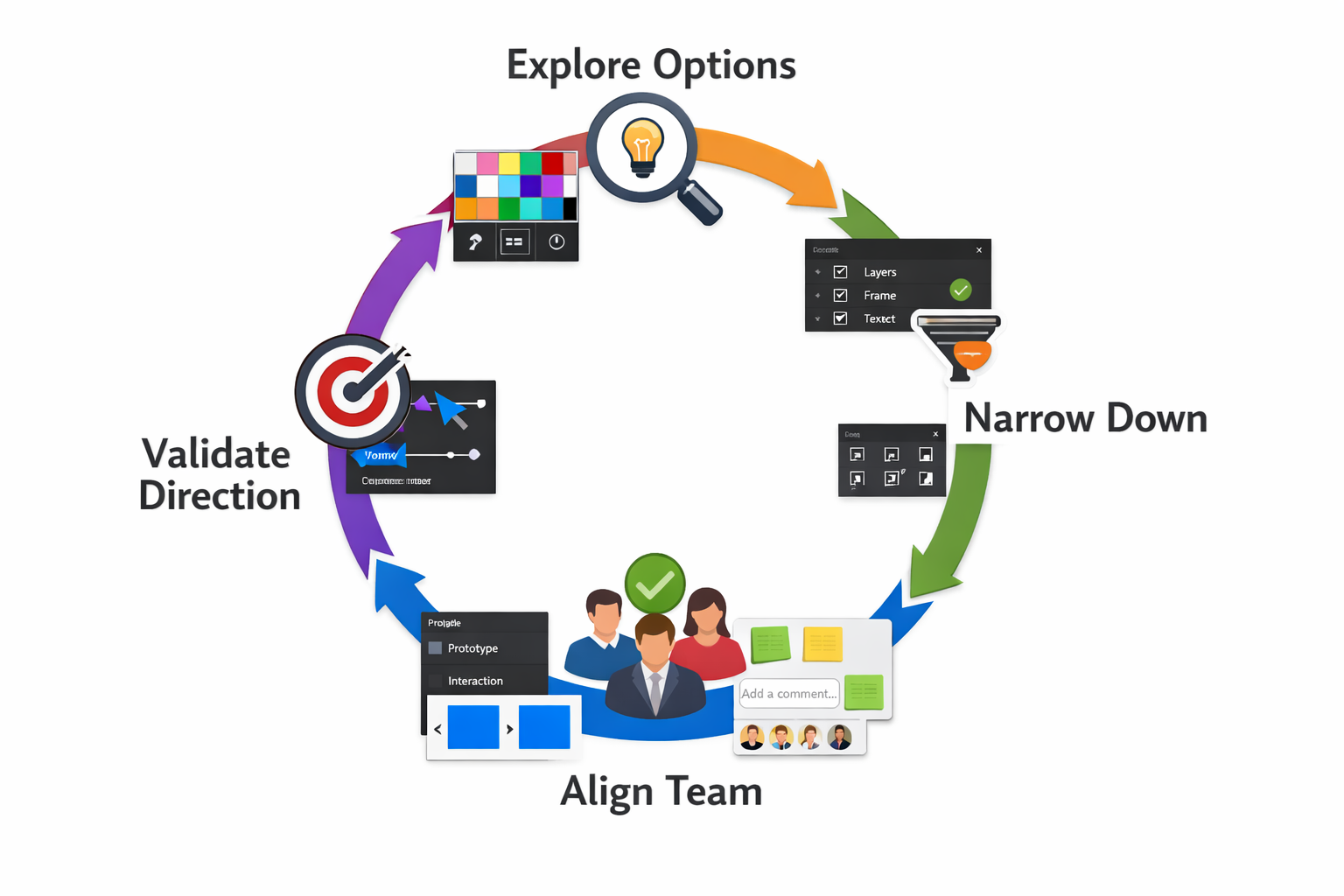
Each phase has its own AI-assisted tools, and its own way to go wrong if you skip the judgment part. The resource emphasizes that while AI accelerates the generation of options, human judgment remains critical at every stage to ensure outputs meet user needs, brand standards, and production requirements.
Job Satisfaction Rising Among AI-Adopting Designers
Figma’s State of the Designer 2026 report, which surveyed 906 designers globally, reveals positive outcomes for designers embracing AI tools. Designers actively increasing their AI usage are 25% more likely to report growing job satisfaction than those who aren’t, and they’re also more likely to say their company is growing faster than the industry average.
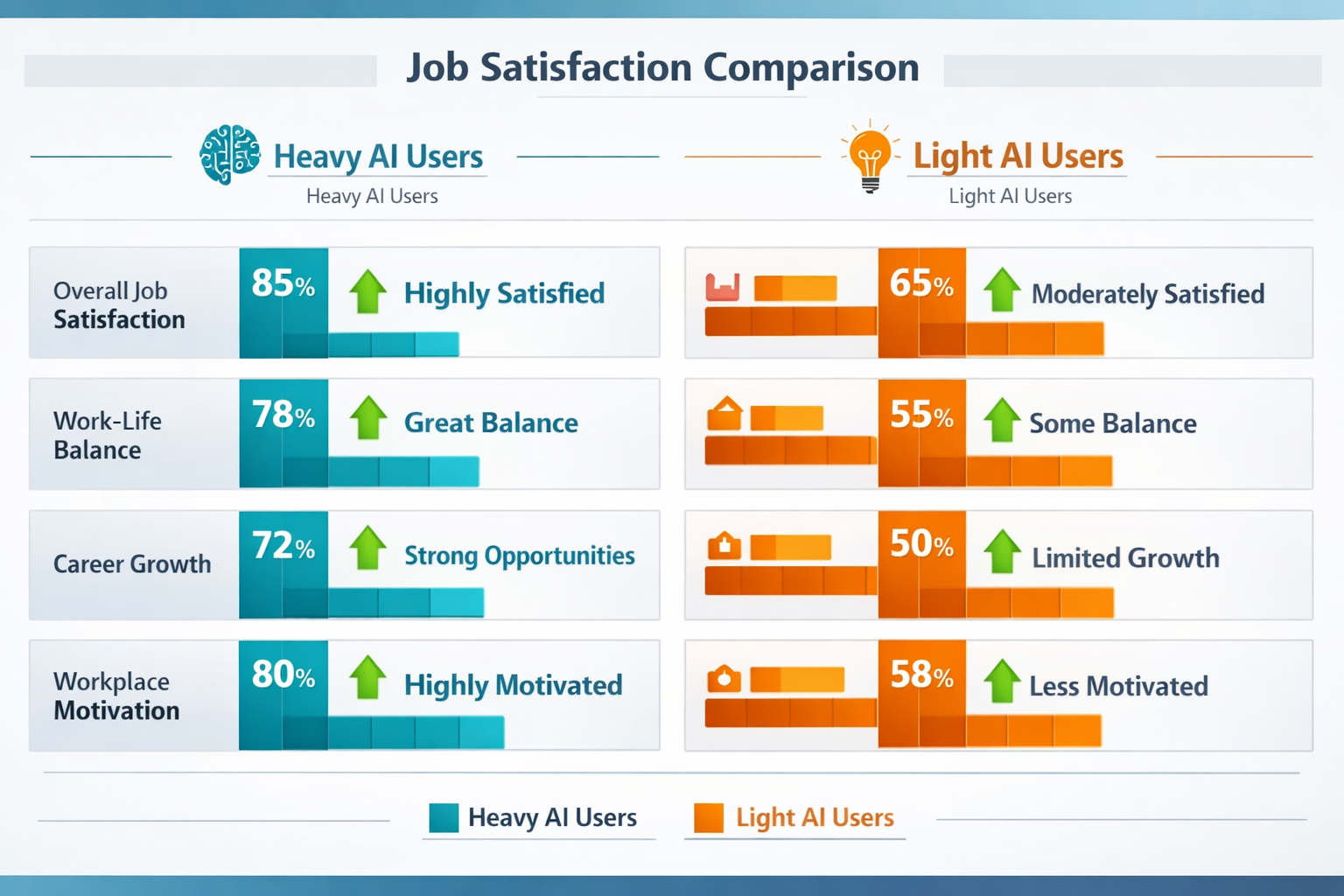
Importantly, creative freedom ranks equally among heavy AI users and light users, suggesting that AI tools are expanding what designers can do, not constraining it. The data challenges concerns that AI might limit creative expression, instead showing that designers who adopt these tools feel more empowered in their roles.
In the State of the Designer 2026 report, 87% of designers say having a say in decisions boosts their performance, reinforcing the importance of judgment and decision-making skills as AI handles more routine generation tasks.
Expanding AI Capabilities Across Figma’s Platform
The resource discussion comes as Figma has significantly expanded its AI capabilities in 2026. Figma’s 2026 AI updates now span content generation, image editing, smart search, UI drafting, code handoff, and full-site creation. These features integrate throughout the design workflow, from early ideation through production handoff to engineering teams.
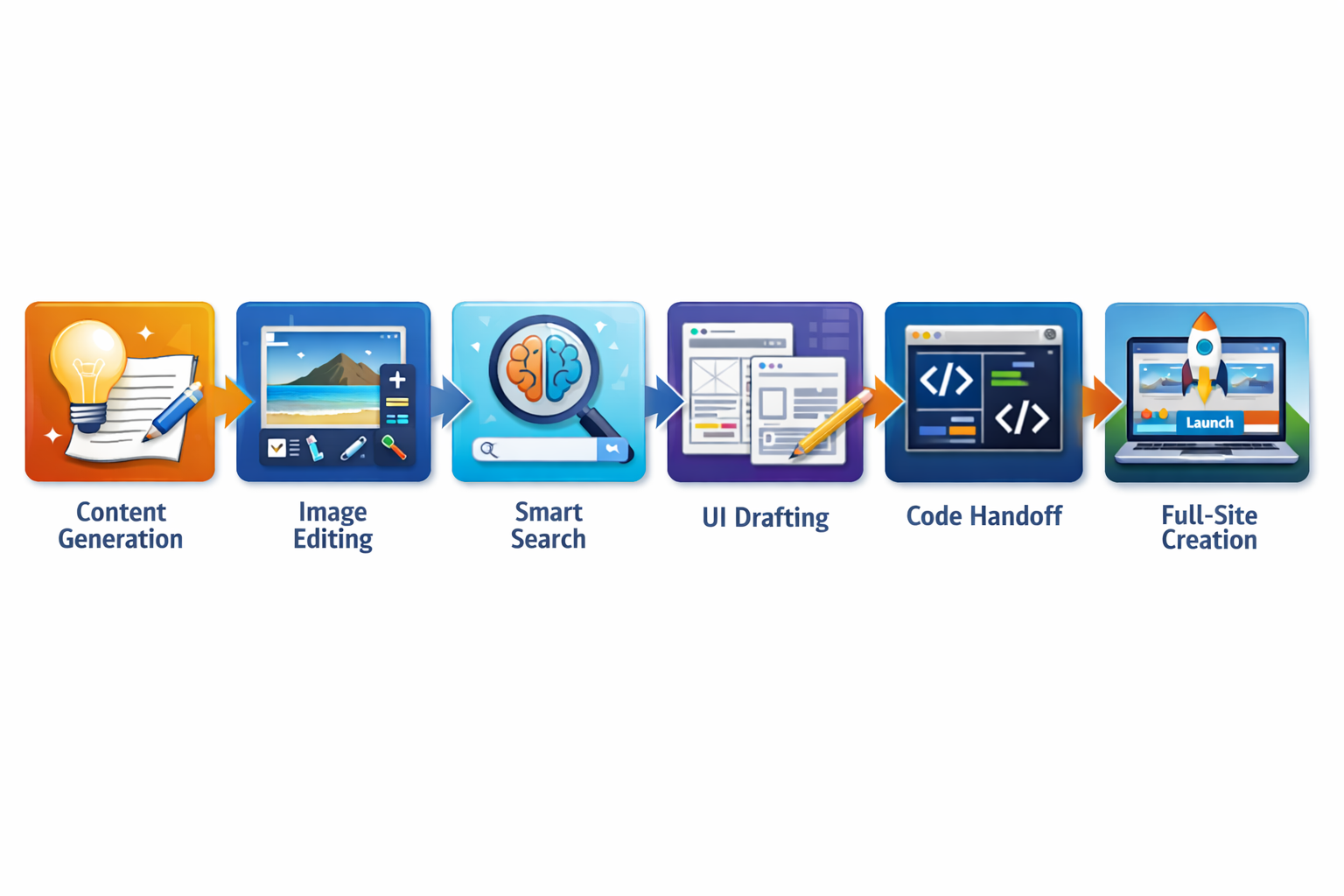
Tools like Replace content, Make an image, First Draft, and Add interactions help teams move faster through early ideation and prototyping, while more advanced workflows, including Dev Mode, Code Connect, MCP server, and Figma Make, are designed to bridge design and engineering.
Despite these advances, most outputs still need human review for accessibility, semantics, and production readiness. The technology accelerates workflows but doesn’t eliminate the need for experienced designers to ensure quality and usability.
Small Companies Leading AI Adoption
The research reveals that smaller organizations are driving AI adoption most aggressively. Smaller companies require nimble workflows, meaning they have to experiment and adapt more quickly, which may be why 61% of respondents at companies with fewer than 10 employees told Figma that AI is “very or critically important” for hitting market share goals.
This finding suggests that AI design tools are particularly valuable for teams that need to compete with larger organizations but have limited resources for extensive design iteration and exploration.
Key Facts
- 72% of designers now use generative AI in their day-to-day work, according to Figma’s State of the Designer 2026 report
- 91% of designers report that AI improves both the quality and speed of their outputs
- 25% higher job satisfaction reported by designers actively increasing their AI usage compared to those who aren’t
- 87% of designers say having a say in decisions boosts their performance
- 61% of designers at companies with fewer than 10 employees consider AI “very or critically important” for market share goals
Sources
- The AI Creative Process: Ideate and Refine Faster – Figma
- 11 of the Best AI Design Tools for 2026 – Figma
- Figma AI in 2026: Everything it can do – LogRocket Blog
- How Figma’s AI Features Are Changing the Way Designers Work in 2026 – Medium