Hybrid Workspaces and the Best Way To Outfit Them
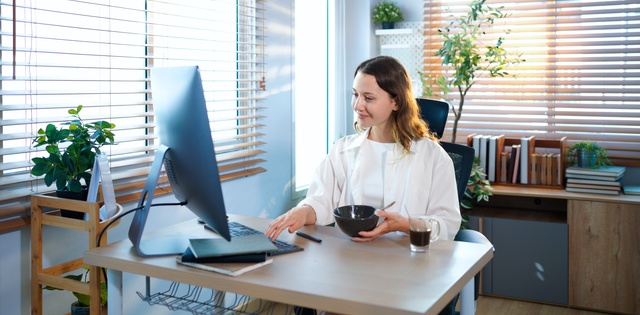
Hybrid workspaces continue to reshape how businesses operate and grow. Teams now split time between home offices and shared work environments, which creates new challenges. It’s important to design spaces that support flexibility, productivity, and communication.
When you outfit a hybrid workspace correctly, you empower your team to perform at their best. Let’s explore hybrid workspaces and the best way to outfit them for this dynamic work environment.
Focus on Flexibility First
A successful hybrid workspace must adapt to different work styles. Some employees need quiet zones for deep focus, while others thrive in collaborative settings. You should create a layout that allows both without forcing compromise. Flexible furniture and movable partitions help you adjust the space as needs evolve.
L-shaped desks create defined work zones that support individual and shared tasks. These desks allow users to separate computer work from writing or planning activities. This setup keeps workflows organized and reduces distractions. A flexible design ensures your workspace grows alongside your business.
Prioritize Technology That Connects Teams
Technology drives success in any hybrid environment. You need reliable tools that support communication between remote and in-office employees. Video conferencing systems, cloud platforms, and collaboration software keep everyone aligned. Hybrid work quickly becomes frustrating without strong tech infrastructure.
Focus on tools that integrate easily with your existing systems. Employees should not waste time switching between platforms or troubleshooting issues. Seamless communication plays a key role in creating a cohesive hybrid work team. Your team can stay focused on results when their tech works smoothly.
Design for Comfort and Productivity
Comfort directly impacts productivity in a hybrid workspace. Ergonomic chairs, adjustable desks, and proper lighting improve health and performance. You should invest in quality equipment that supports long work sessions without strain. Employees who feel comfortable tend to stay more engaged and efficient.
Natural light and clean layouts also improve the work environment. Avoid overcrowding your space with unnecessary furniture or decor. A well-organized office helps employees concentrate on their tasks. When you prioritize comfort, you create a workspace people actually want to use.
Create Clear Zones for Different Tasks
Hybrid workspaces benefit from clearly defined areas for specific activities. You should separate spaces for collaboration, focused work, and casual interaction. This structure helps employees understand where to go for each type of task. Clear zones reduce confusion and improve overall workflow.
Consider how your team uses the space throughout the day. Some areas may need soundproofing, while others should encourage conversation. Thoughtful zoning supports productivity and teamwork. A well-planned layout keeps your workspace efficient and easy to navigate.
Equip Your Space With Smart Essentials
Outfitting a hybrid workspace requires more than just desks and chairs. You need the right tools and features to support daily operations. Focus on practical additions that improve efficiency without overcomplicating the setup, such as:
- High-speed internet with strong coverage
- Shared screens or smart boards for meetings
- Storage solutions for both personal and shared items
- Charging stations for multiple devices
- Noise management tools like panels or dividers
Hybrid workspaces offer flexibility and opportunity, but they require thoughtful outfitting to succeed. Set up your space with the right combination of design, technology, and structure to support your team. Focus on flexibility and clear communication to maximize results.