Bgeraser: Download-free Program to Get You Rid of Undesired Objects
Compared with removing the background from a photo, undesired object removal can be a bigger challenge for those who don’t have photo editing experience. It’s not easy to complete such a task using Photoshop or other series products of Adobe. Object removal involves more complex operations so you may need to spend a lot of time getting a good result.
Although there are easier tools offering this kind of service on the Internet, most of them are paid and require you to sign up for an account. Furthermore, people usually share a smaller number of high-quality images which can be easily removed without requiring advanced editing skills.
This is why Bgeraser was created. This program is a web-based image editing program with a simple operation and a clean UI. It removed objects or backgrounds from a photo with just a few clicks! You can use Bgeraser to erase anything you don’t want in your photo. It is worth noting that Bgeraser offers a free object removal service and keeps your image sharp and clear within a few seconds.
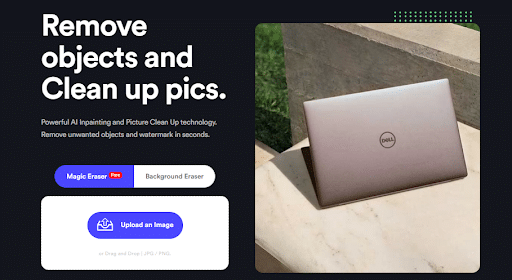
Bgeraser Functionality Quick Summary:
- Removes any unwanted objects from a photo with ease; make the photo clear and appealing.
- Erases image backgrounds with one click; output transparent picture with high quality.
- Recognize any type of watermark accurately; delete the text watermark quickly.
- Works well with various photos, such as product photos, human portraits, plants, animal photographs, etc.
Let’s dive in to explore Bgeraser and learn how to use it to remove undesired objects from images.
Bgeraser Functionality Overview:
-
Remove Image Backgrounds
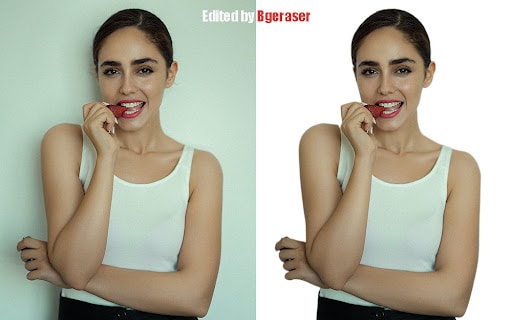
As we mentioned initially, Bgeraser is available on the web. You can use it to remove the background from an image in a faster way. Whether you want to make the image transparent, get a white background, or replace the current background with another one, Bgeraser can help you achieve the goal.
Here’s how to use Bgeraser to remove the image background:
- Go to Bgeraser.com and click on “Background Eraser“.
- Upload a picture by clicking on the “upload” button.
- Wait for Bgeraser to recognize the image details and remove the image background quickly.
- Get the bg-removed image. Feel free to download the work if you are happy with the outcome.
Note: you can only upload JPG or PNG images. Other image formats such as AVIF, WeBp, or GIF are not supported. In addition, you need to upload images one by one for bg removal because batch tasks are not supported.
-
Remove Undesired Objects without Skills Required
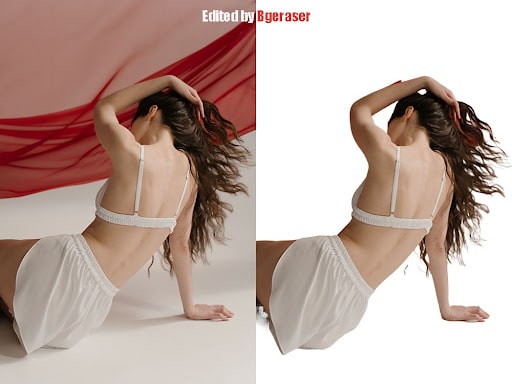
Object removal is one of the most important features of Bgeraser. You can think of it as a smart brush. With it, you can erase any object you don’t like. It can distinguish well between foreground and background, protecting the background from destroying.
Bgeraser can analyze the object you select and remove it from the picture accurately, leaving only the background intact. It works by using a special algorithm that identifies the edges of objects in an image and separates them from the background. The result is a photo with only the background left (or vice versa).
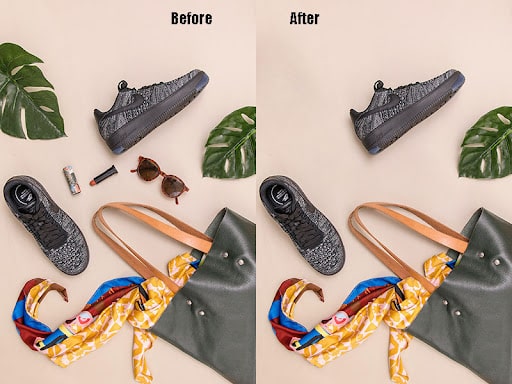
Here’s how to use Bgeraser to remove the image background:
- Select the ”Magic Eraser” function on the home page of Bgeraser’s site.
- Get your image ready.
- Adjust the brush tool that Bgeraser offers. You are able to change the brush’s size and strength.
- Use the brush to select the things you want to get rid of from the image, such as an old car, a bottle on the table, or a running dog.
- Click “erase” and wait for image processing. You will get the best result after 5-10 seconds.
Note: the speed of object removal depends on many factors, such as the current internet connection, the uploaded image’s size, and the complexity of the selected objects. But most of the time, it only takes 5 to 15 seconds to remove unwanted objects from a photo.
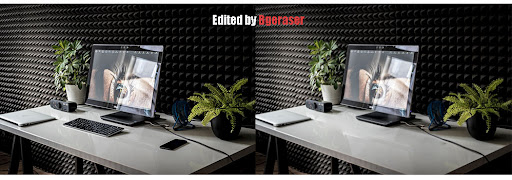
What makes Bgeraser unique?
-
Powered by AI
Bgeraser uses machine learning and natural language processing to build chatbots for companies. It helps us understand what our customers want so that we can provide them with a great experience every time they interact with us.
Its object removal tool stands out from other similar services because it is an automated process that does not require any user interaction at all.
-
Download-free Program
You don’t need to download any programs or create an account before using Bgeraser. The more applications you install on your computer, the less memory your computer will have. Worse still, downloading some rogue software can be potentially dangerous for your device. Using an online program such as Bgeraser can help save your computer’s memory and get the device rid of the risk.

-
Free of Charge
Bgeraser is completely free. There are no limits on the number of photos you can upload or download. It removes the image background and objects for free. That means anyone can enjoy its service without money cost. Users don’t need to create an account or fill in their credit card numbers. During the image processing, there won’t be any pop-up windows to ask you to watch ads or subscribe to its service.
-
Simple Operations
If you don’t have photo editing skills but want to remove unwanted objects, Bgeraser is the best tool to help you out. Bgeraser has a straightforward and easy-to-learn interface, which makes it very convenient for users who have no prior knowledge of image processing.
Meanwhile, using Bgeraser is very simple. Nearly all tasks can be done with simple steps. You only need to upload the image and click the tool you need. Then Bgeraser will complete the task automatically.
Who is Bgeraser best for:
- For designers: improve designers’ productivity by erasing background and objects automatically. Free their hands from simple and boring work.
- For e-commerce website admin: save admin’s money and time. No need to hire an editor to do such simple work. Bgeraser can help create clear and focused product images.
- For beginners in photo editing: Bgeraser is friendly for users who don’t have much photo editing experience. Anyone can use it to clean up pictures quickly with simple clicks.
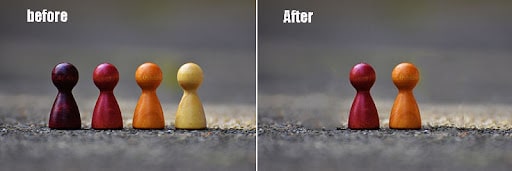
What are the Main Applications of Bgeraser?
Bgeraser is a free app that will help you get rid of annoying unwanted things on your picture, including background, text, logo, image watermark, etc. Some of the main applications of Bgeraser include:
-
Create a clear product photo
The software has been designed for those who want to remove unwanted objects from the background of their pictures and replace it with something new and interesting. It is really helpful to e-commerce sellers because they have a lot of needs for product photos with clear backgrounds.
-
Improve Image Quality
Bgeraser is suitable for anyone who wants to improve their image quality. Using its Magic Eraser tool, you can delete any unwanted things and leave only the attractive and important details. It is a simple way to enhance image quality and make your pictures look more professional.
Conclusion
When it comes to photo editing, there are certain hurdles that you must jump over. One of them is removing undesired objects from photos. If your budget is tight or if you just don’t have the time, removing undesired objects from photos might seem too big of a task. But don’t let that stop you! There are plenty of simple and cost-effective apps like Bgeraser that can remove those objects from your photos like magic. And the best part? You might not even need Photoshop to do it.