Record Life, Present It Perfectly: The AI Photography Secrets of OPPO Reno13 Pro
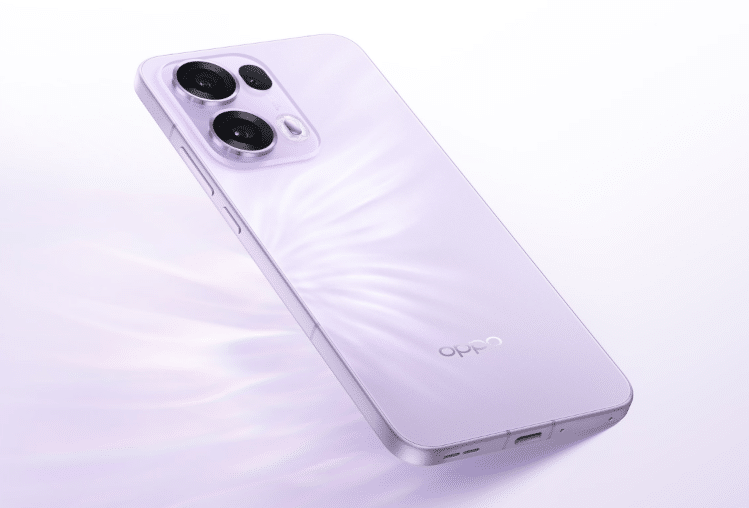
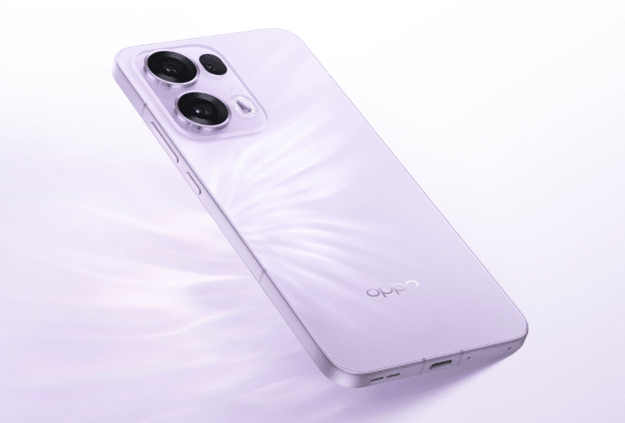
The OPPO Reno13 Pro is a game-changer in smartphone photography, powered by cutting-edge AI technology. Designed to capture life’s best moments with precision, it combines advanced features like AI Livephoto and AI Eraser 2.0 to deliver vibrant, professional-quality images. Whether you’re snapping dynamic action shots or refining photos with seamless edits, the Reno13 Pro makes it effortless. With AI photography enhancing life recording, every photo becomes a vivid story, preserving memories in stunning detail. Elevate your photography and storytelling with the OPPO Reno13 Pro.
Mastering AI Livephoto: Capture Life in Motion
AI Livephoto on the OPPO Reno13 Pro is an innovative feature that brings still images to life by capturing a few seconds of motion before and after the shot. This creates dynamic, vivid pictures that feel more immersive and expressive. Whether it’s a child’s laughter, waves crashing on the shore, or the flickering lights of a cityscape, AI Livephoto ensures your memories are preserved with realistic movement and emotion.
How to Use AI Livephoto Effectively
Ideal Scenarios:
AI Livephoto shines in moments where movement adds depth and storytelling to an image, such as:
- Family Gatherings – Capture genuine smiles and warm interactions.
- Street Photography – Bring the energy of bustling streets and cultural moments to life.
- Pets & Kids – Preserve their spontaneous actions in a natural, lively way.
- Nature & Travel – Record the swaying of trees, flowing waterfalls, or ocean waves with cinematic effect.
Pro Tips for Vibrant AI Livephotos:
- Use Natural Lighting – Enhances colors, contrast, and sharpness for a richer look.
- Frame with Motion in Mind – Anticipate movement to create a balanced and engaging composition.
- Experiment with Angles – Capture unique perspectives to add depth and interest.
- Keep the Camera Steady – A stable shot ensures smooth, high-quality motion.
Best Settings for AI Livephoto
- Motion Sensitivity – Adjust based on the level of movement in the scene.
- Sharpness & Detail – Fine-tune for a crisp, clear subject while maintaining background softness.
- Frame Selection – Choose the perfect moment from the captured frames for the best result.
With AI Livephoto, the OPPO Reno13 Pro transforms everyday moments into vibrant, dynamic memories, making photography more expressive and interactive.
AI Eraser 2.0: Perfecting Your Photos with Smart Editing
AI Eraser 2.0 on the OPPO Reno13 Pro is an advanced AI-powered tool that allows users to remove unwanted objects, people, or distractions from their photos with a single tap. Whether it’s a photobomber in the background, power lines disrupting a scenic view, or random clutter in an otherwise perfect shot, AI Eraser 2.0 intelligently fills in the gaps with natural-looking textures, ensuring seamless, high-quality edits.
How to Use AI Eraser 2.0 for a Flawless Shot
Step 1: Select the Object – Use the AI Eraser tool to highlight the object or area you want to remove.
Step 2: Let AI Work Its Magic – The intelligent algorithm fills in the missing space by analyzing the surrounding pixels.
Step 3: Fine-Tune the Edit – If needed, adjust edges and textures to blend everything naturally.
Practical Applications of AI Eraser 2.0
- Remove Photobombers – Instantly erase unwanted people in the background of travel or event photos.
- Erase Unwanted Clutter – Get rid of street signs, trash cans, or other distractions in urban or nature photography.
- Refine Portraits – Remove objects behind the subject for a cleaner, more professional look.
- Fix Imperfections – Eliminate reflections, wires, or smudges that take away from the overall composition.
Pro Tip:
For the best results, combine AI Eraser 2.0 with OPPO’s color grading tools to enhance brightness, contrast, and saturation, ensuring a flawless and polished image.
Shooting Tips for Stunning AI Photography on OPPO Reno13 Pro
Unlock the full potential of the OPPO Reno13 Pro’s AI-powered photography features with these expert tips:
- Leverage AI Scene Enhancement – This intelligent tool automatically adjusts contrast, brightness, and colors to bring out the best in every shot. Whether capturing landscapes, food, or portraits, AI Scene Enhancement fine-tunes settings to deliver more vibrant and dynamic photos.
- Use Ultra Night Mode – Struggling with low-light shots? Ultra Night Mode enhances details, reduces noise, and improves sharpness for stunning nighttime photography. Capture city lights, candlelit dinners, or starry skies with exceptional clarity.
- Experiment with AI Portrait Mode – Achieve a professional bokeh effect by blurring the background while keeping the subject sharp and well-defined. Perfect for stylish portraits with a DSLR-like touch.
- Try AI HDR for High-Contrast Scenes – When dealing with backlit environments or harsh lighting, AI HDR ensures a balanced exposure by preserving both highlights and shadows. This is ideal for sunset shots, outdoor portraits, and bright cityscapes.
- Maximize AI Smart Composition – Struggling with framing? AI Smart Composition suggests better angles and proportions, helping you create visually compelling shots effortlessly.
AI Photography in Everyday Life: How OPPO Reno13 Pro Helps You Capture Moments
The OPPO Reno13 Pro isn’t just a smartphone—it’s your AI-powered photography companion, making it easier to capture and enhance life’s special moments.
- For Travelers – Transform your travel experiences into cinematic memories with AI Livephoto, which captures motion and brings your adventures to life. Whether you’re exploring bustling city streets or breathtaking landscapes, the Reno13 Pro ensures every shot is dynamic and immersive.
- For Families – Kids and pets are always on the move, but with AI-enhanced photography, you can capture their most natural and spontaneous expressions effortlessly. AI Scene Enhancement optimizes lighting and colors, so you never miss a precious moment.
- For Content Creators – Want studio-quality edits on the go? AI Eraser 2.0 removes unwanted distractions in seconds, giving your shots a clean, professional look without complex editing software. Whether shooting portraits, products, or creative visuals, the Reno13 Pro ensures a flawless finish.
- For Social Media Enthusiasts – Make your photos pop with AI-enhanced vibrance, smart composition, and HDR-powered details. Whether posting on Instagram, TikTok, or Snapchat, your images will stand out with eye-catching clarity and color balance.
Conclusion
The OPPO Reno13 Pro takes AI photography to the next level, making life recording more dynamic and effortless. With AI Livephoto, you can capture motion-rich moments, while AI Eraser 2.0 ensures flawless edits by removing distractions instantly. Whether you’re a traveler, parent, content creator, or social media enthusiast, these AI-powered tools help you create stunning visuals with ease.
Start experimenting with these features today and elevate your photography! Share your AI-enhanced photos on social media using #OppoReno13ProAI and show the world your best shots!