Adobe for Slack Adds 70+ Creative Tools
 4 min read
Adobe announced on September 2, 2026, a new integration with Slack, adding more than 70 tools from its popular apps to the communication service. Adobe for Slack became available globally starting September 2, 2026, and is now accessible for Slack Business+ and Enterprise+ customers on web, mobile and desktop versions of Slack. The integration brings professional-grade creative and productivity capabilities directly into workplace conversations, allowing teams to create and edit content without switching applications.
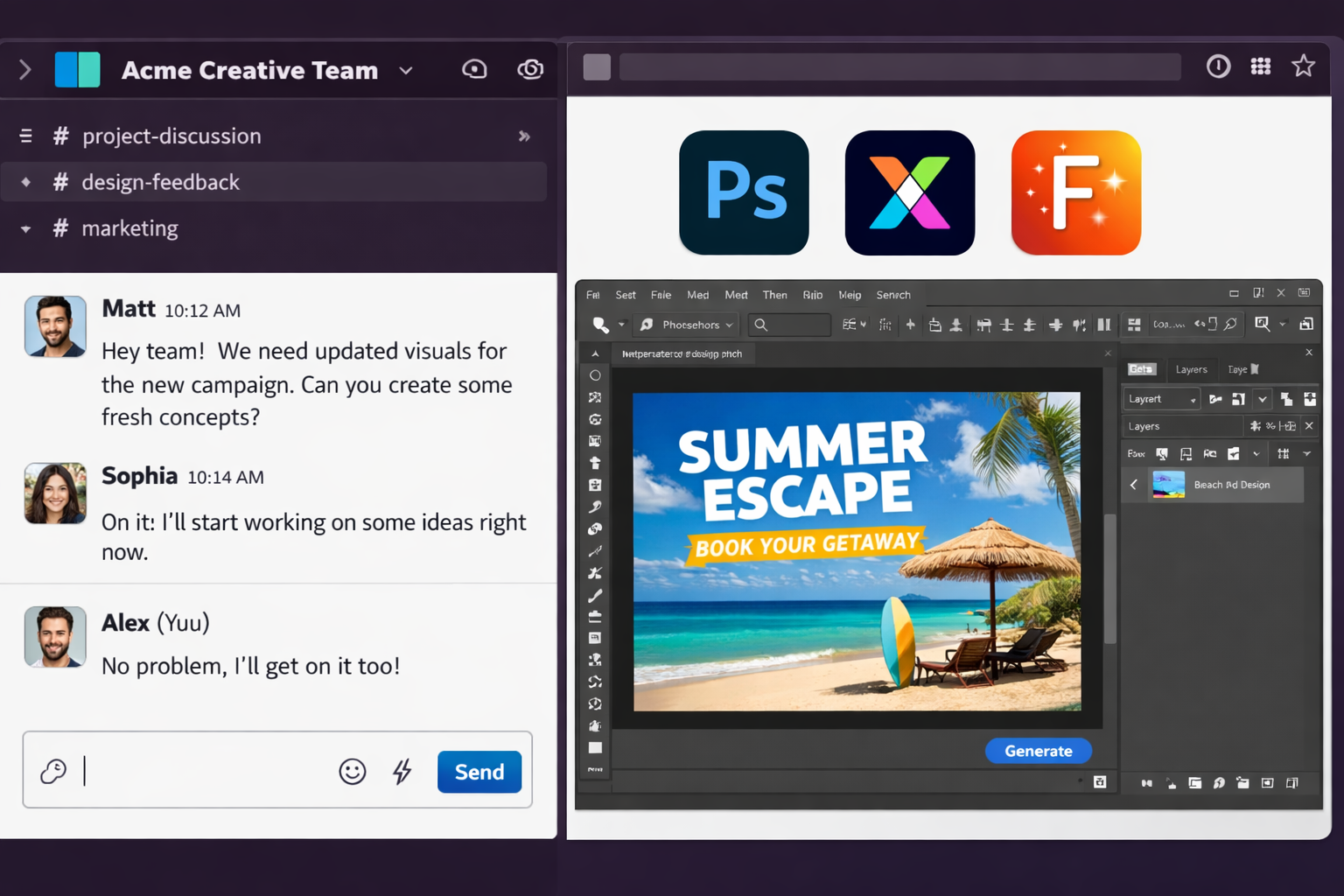
How the Integration Works
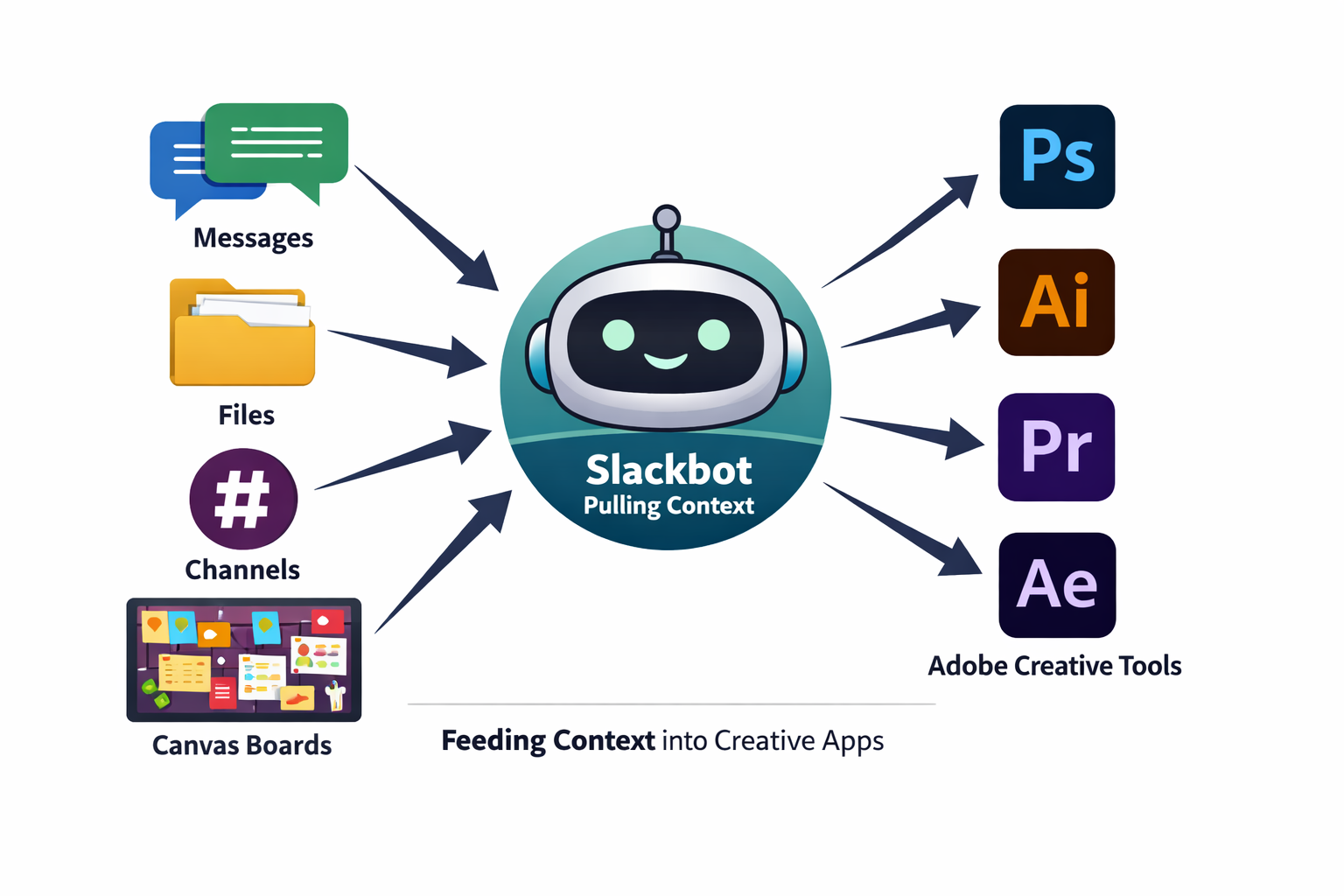
The capabilities include features from Adobe Firefly, Adobe Express, Photoshop, Premiere, Acrobat, InDesign, Illustrator, Stock and Lightroom. The integration works through Slackbot, Slack’s built-in AI assistant, where users can describe what they want in natural language, while Slackbot pulls relevant context from messages, files, channels and Canvases before calling the Adobe app.
Slackbot can use information already available in Slack, including conversations, files, channels and Canvases, to provide context for creative and document tasks. Users can also upload content directly into Slack or ask Slackbot to retrieve files from their Creative Cloud accounts.
People can begin using the app as guests without an Adobe account, though signing in or creating a free Adobe account unlocks additional tools, generative AI capabilities, access to Creative Cloud files and the ability to continue work across sessions.
Practical Use Cases
Teams can ask Slackbot to find and summarise information from conversations or Canvases before using Adobe tools to turn that material into PDFs, images or videos. The app can also search Creative Cloud assets using terms such as subject, style or mood, and selected assets can then be brought into the Slack workflow for further editing or sharing.
Marketing and social media teams can use approved images and videos to create variations for different social platforms. The app also supports design work using Adobe templates, allowing users to select a template, customise its copy and colours, and create animated or print-ready content.
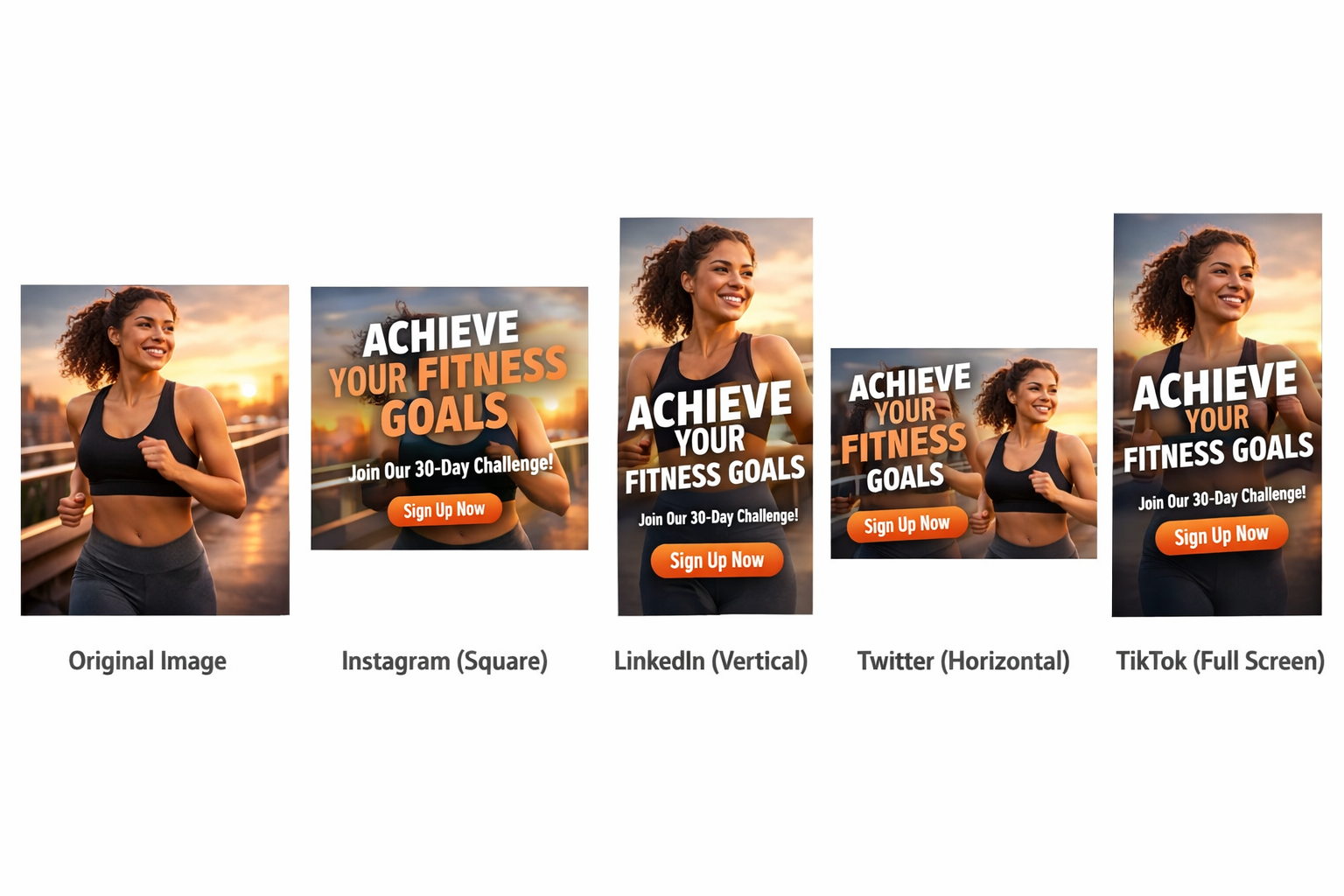
Possible uses of these new integrations include turning a spreadsheet into a visual, creating marketing or social media content from templates and executing bulk edits on a large number of images.
Technical Foundation and Broader Strategy
Adobe is exposing more than 70 of its tools inside Slack through an MCP-based Slackbot app called Adobe for Slack. The Model Context Protocol is an open standard that enables AI models to interface with external systems while maintaining contextual awareness.
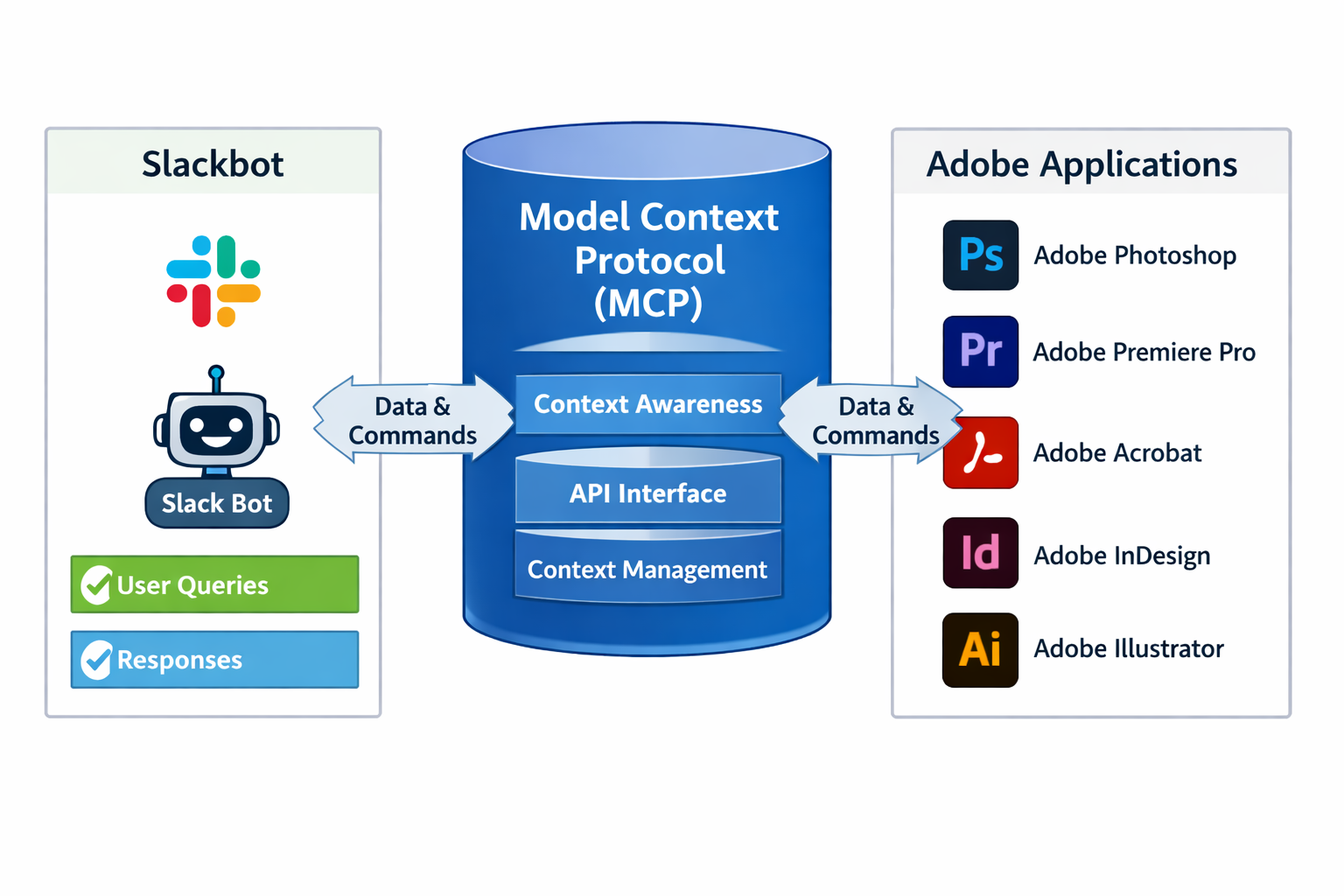
Adobe announced a ChatGPT plugin that allows users of OpenAI’s platform to access “more than 70 tools across Adobe’s creative and productivity suites,” and the implementation appears to be near-identical between the two platforms. Adobe already has ChatGPT hooked up and says a Gemini integration is coming.
Adobe for Slack follows similar integrations with Canva and Figma that were introduced when Slack first added Model Context Protocol support to Slackbot in June.
Competitive Landscape
The announcement comes as multiple creative software companies are racing to embed their tools into collaborative workspaces and AI assistants. Canva and Figma are pushing into chat surfaces while Anthropic builds tighter Slack ties, creating an increasingly competitive environment for AI-powered creative workflows.
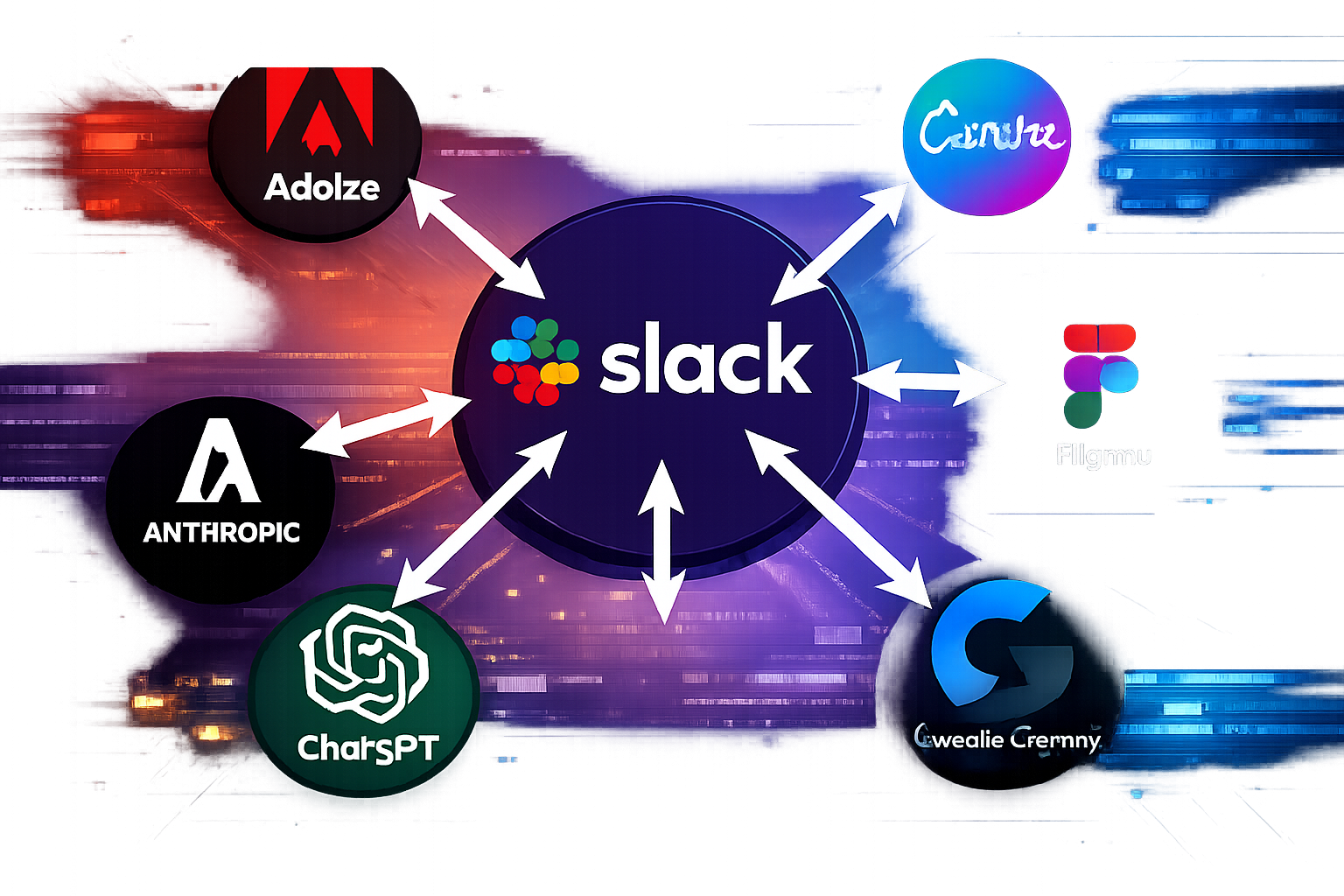
Adobe is repositioning its creative suite as agent-callable services delivered wherever knowledge workers already type, and every new MCP-native integration hardens Salesforce’s argument that Slack’s higher enterprise tiers are the place agent traffic will land.
Access and Availability
The integration can be added by opening a direct message with Slackbot, selecting Manage Apps and connecting Adobe, though workspace administrators will still control which applications can be installed and what information users are permitted to access. Slack says its MCP system respects existing credentials and user-specific data boundaries when accessing connected services.
The rollout is limited to organizations with higher-tier Slack subscriptions. While pricing details for the Adobe integration itself have not been disclosed, the requirement for Business+ or Enterprise+ Slack plans means smaller teams on free or standard Slack tiers cannot currently access these capabilities.
Key Facts
- Adobe for Slack launched globally on September 2, 2026
- More than 70 tools are available across Firefly, Adobe Express, Photoshop, Premiere, Acrobat, InDesign, Illustrator, Stock, and Lightroom
- Integration is available only to Slack Business+ and Enterprise+ customers
- Users can start as guests without an Adobe account, with full features unlocked after sign-in
- Adobe plans similar integrations with ChatGPT and Google Gemini
- The integration uses the Model Context Protocol to enable contextual AI assistance
Sources
- Adobe brings 70+ tools from Photoshop, Illustrator and more to Slack – Engadget
- Adobe is making its tools available in Slack – TechCrunch
- Adobe brings 70 tools into Slack for workplace use – IT Brief
- Adobe brings Photoshop, Firefly, and 70+ creative tools to Slack with MCP app – 9to5Mac